> ## Documentation Index
> Fetch the complete documentation index at: https://docs.stablepayfi.ai/llms.txt
> Use this file to discover all available pages before exploring further.
# Checkout Display & Logo Guidelines
> Shared display guidance for presenting StablePay and stablecoin payment methods.
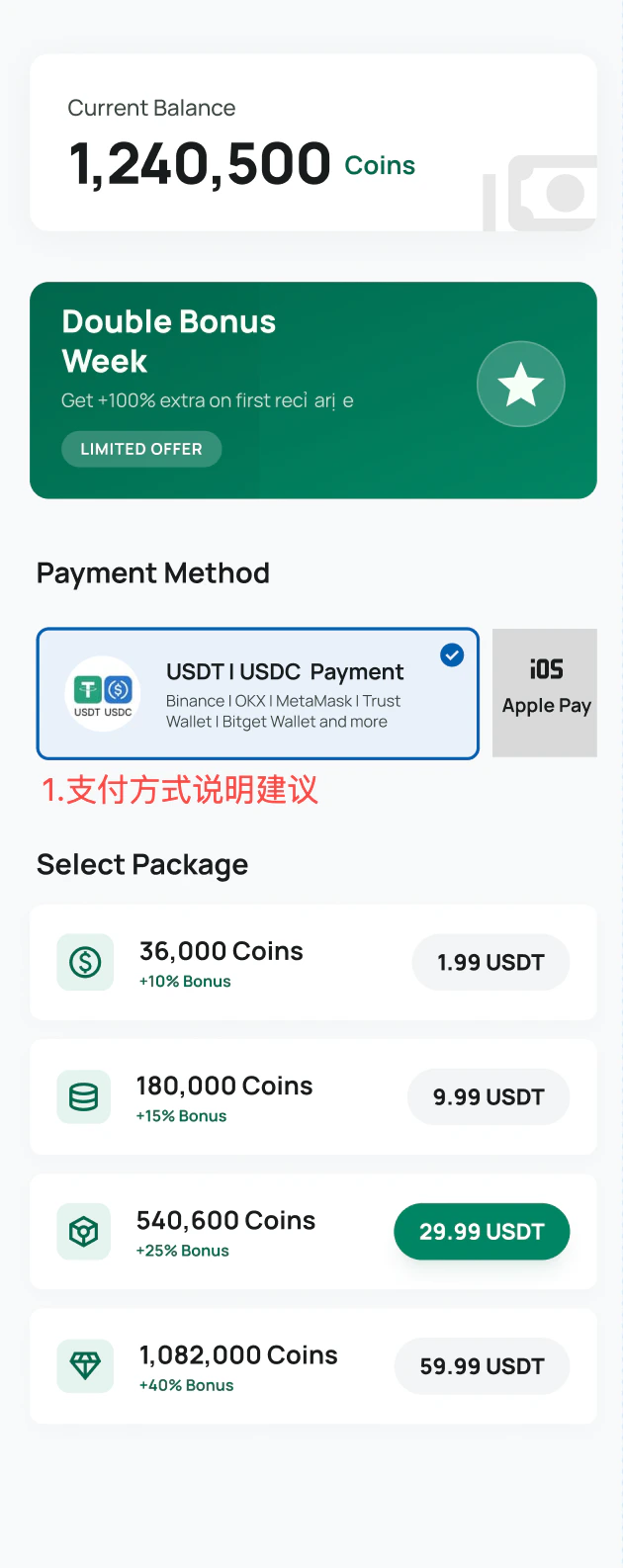
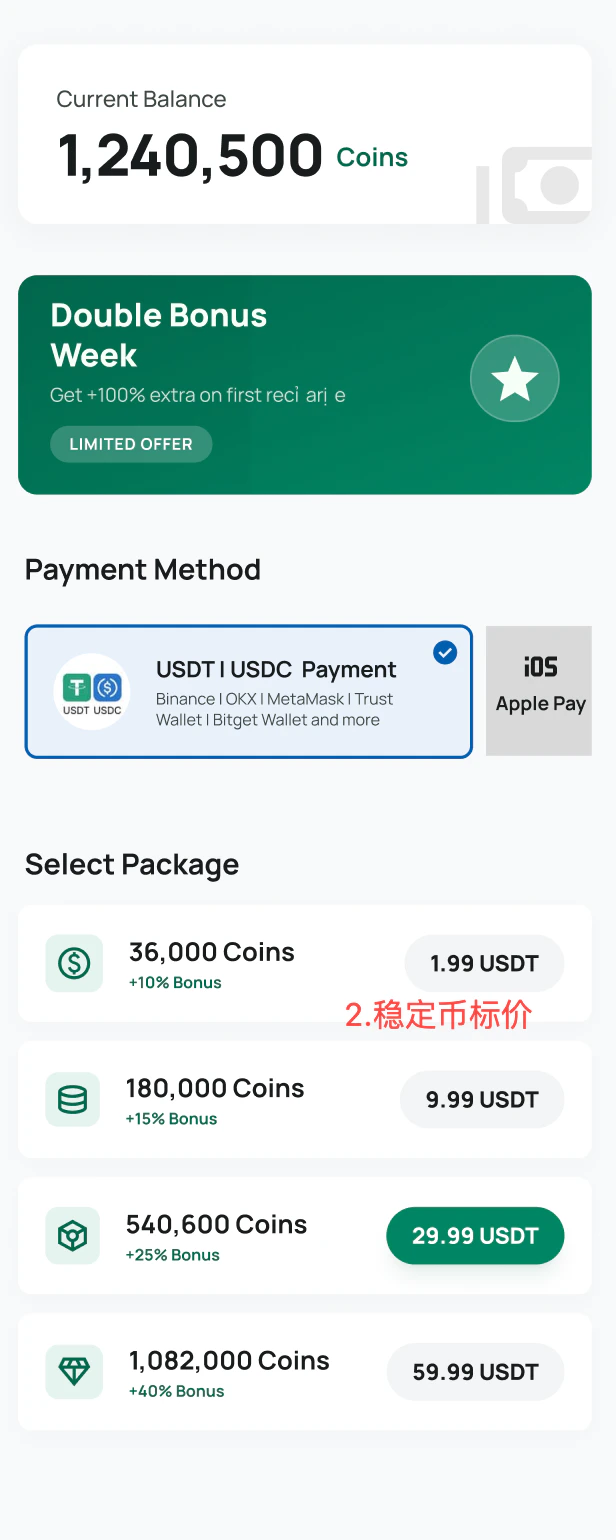
Use this page when adding StablePay to your own checkout, payment method list, SaaS storefront, or payment selection UI. The goal is to help customers understand that they can pay with USDT or USDC through familiar wallets.
In most checkout experiences, show the payment method as stablecoin payment first and StablePay as the provider second. Customers are usually more familiar with USDT, USDC, and wallet names than with payment infrastructure brands.
## Recommended payment method label
```text theme={"system"}
USDT | USDC Stablecoin Payment
```
Recommended supporting text:
```text theme={"system"}
Binance | OKX | MetaMask | Trust Wallet | Bitget Wallet and more
```
## Recommended examples
 ## Best practices
* Make `USDT` and `USDC` visible in the payment method name.
* Add familiar wallet examples when space allows.
* Use stablecoin and wallet icons to reduce customer uncertainty.
* Use `Powered by StablePay` when showing the StablePay brand.
* Avoid labeling the option only as `StablePay` if customers may not recognize the brand yet.
## API checkout examples
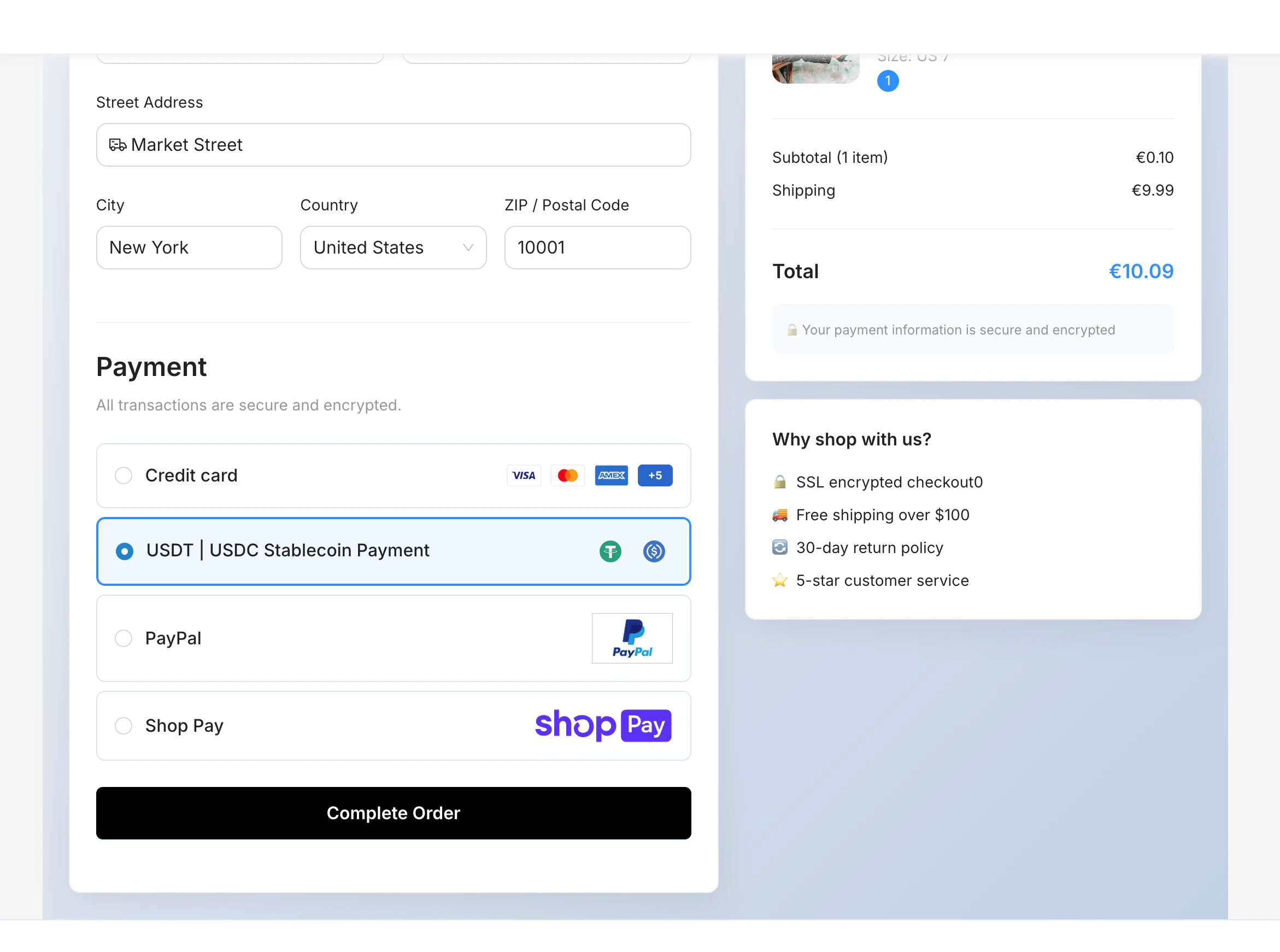
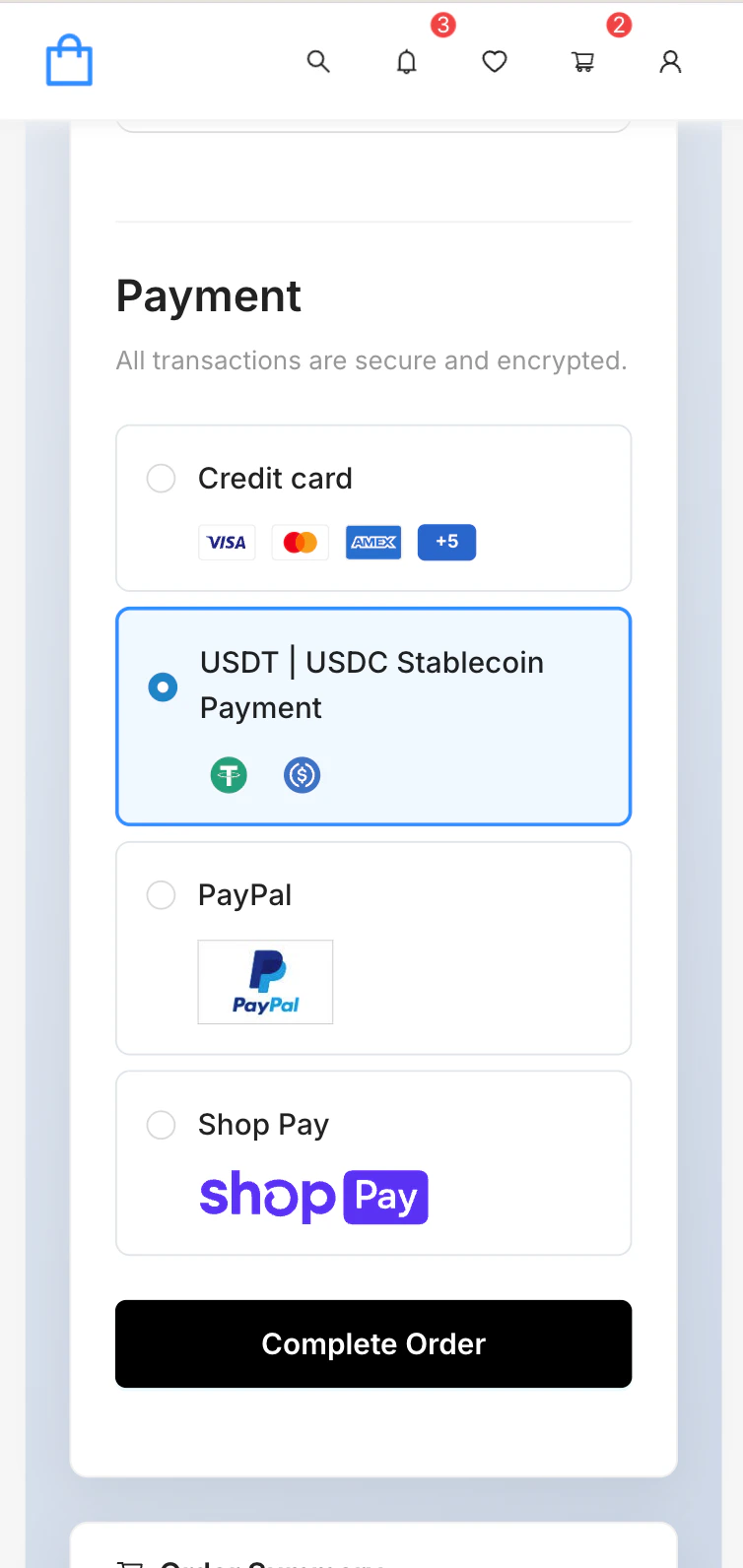
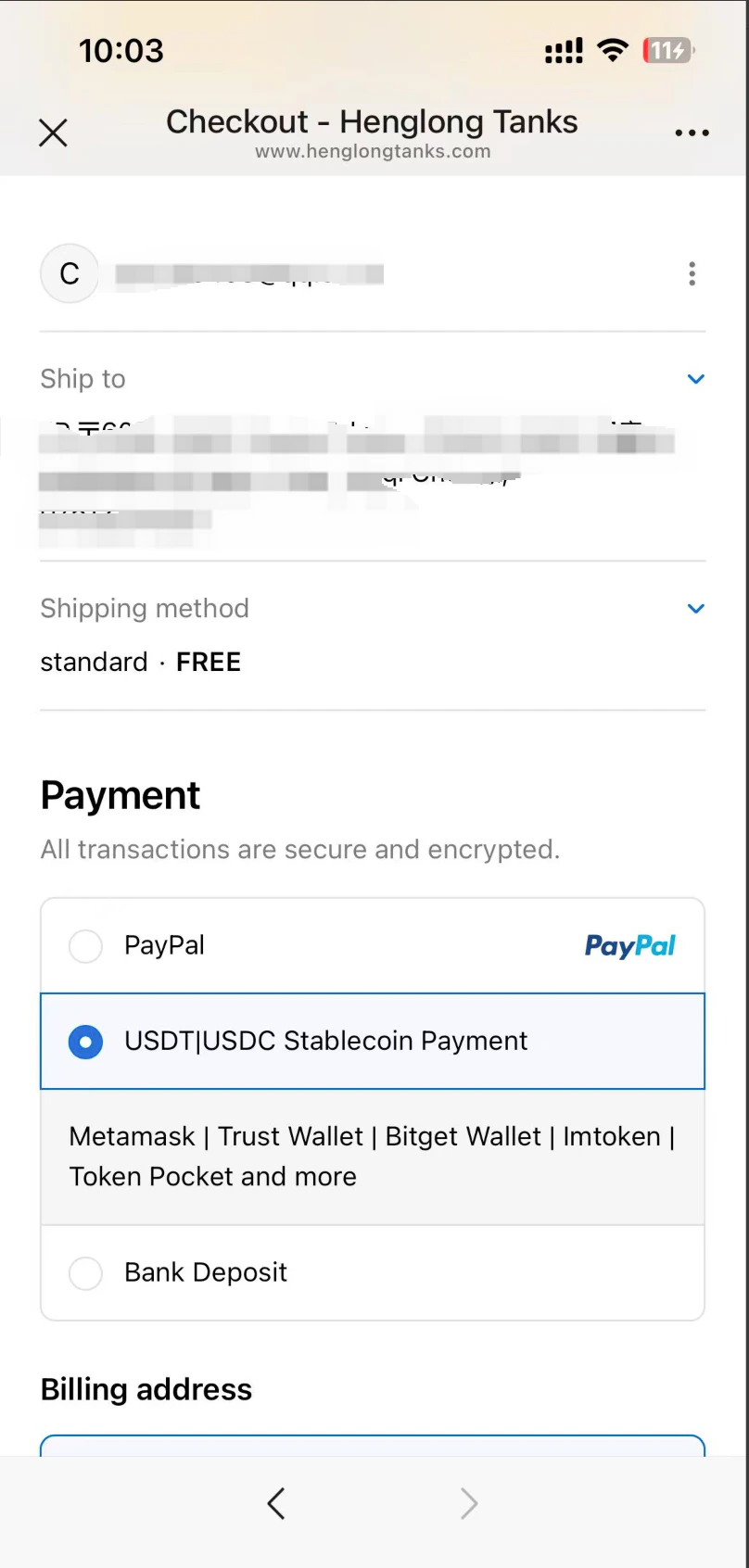
For custom ecommerce sites, apps, and game checkout pages, display stablecoin payment alongside other payment methods such as cards, PayPal, or bank transfer.
## Best practices
* Make `USDT` and `USDC` visible in the payment method name.
* Add familiar wallet examples when space allows.
* Use stablecoin and wallet icons to reduce customer uncertainty.
* Use `Powered by StablePay` when showing the StablePay brand.
* Avoid labeling the option only as `StablePay` if customers may not recognize the brand yet.
## API checkout examples
For custom ecommerce sites, apps, and game checkout pages, display stablecoin payment alongside other payment methods such as cards, PayPal, or bank transfer.
 ## SaaS platform examples
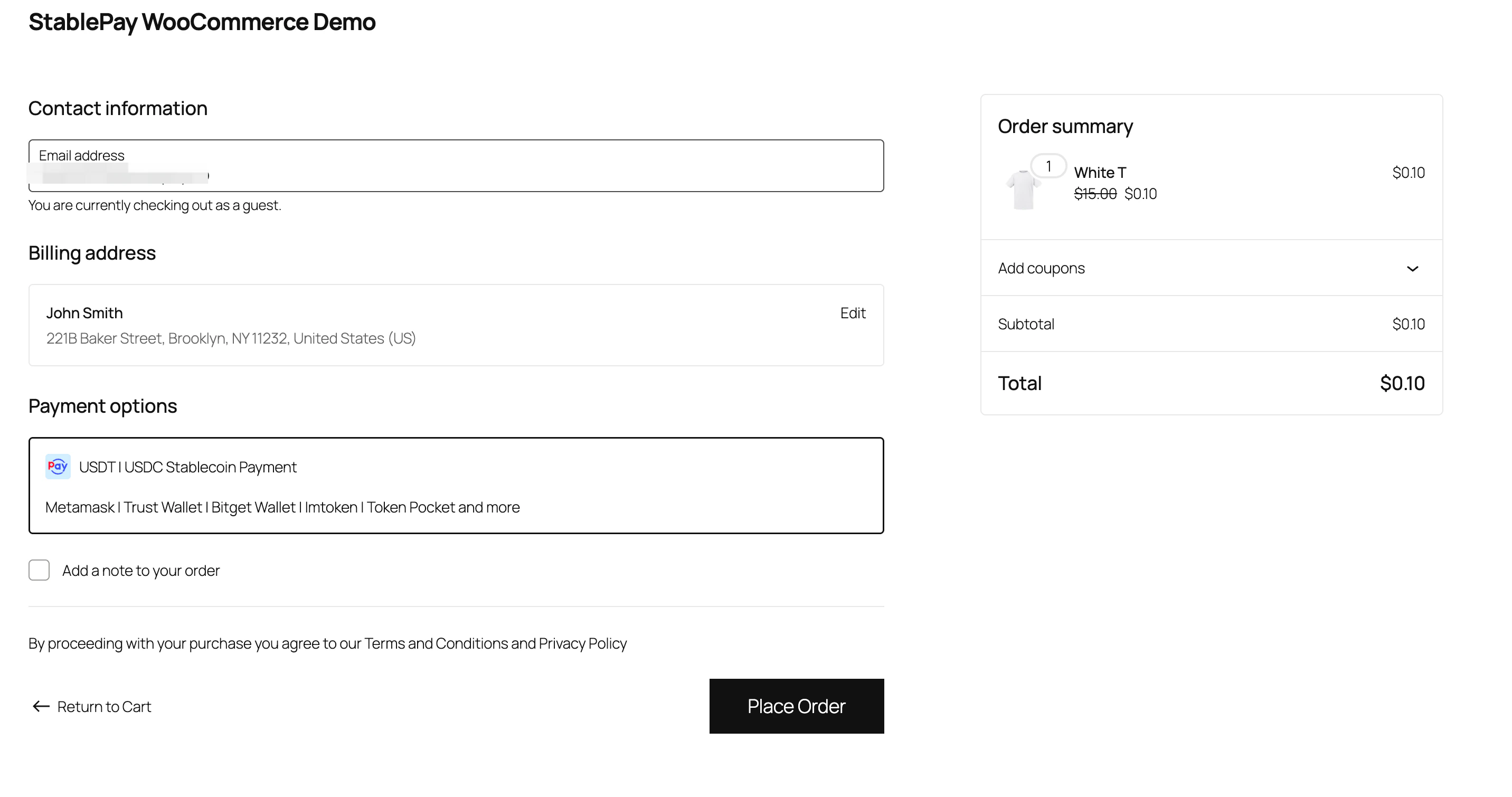
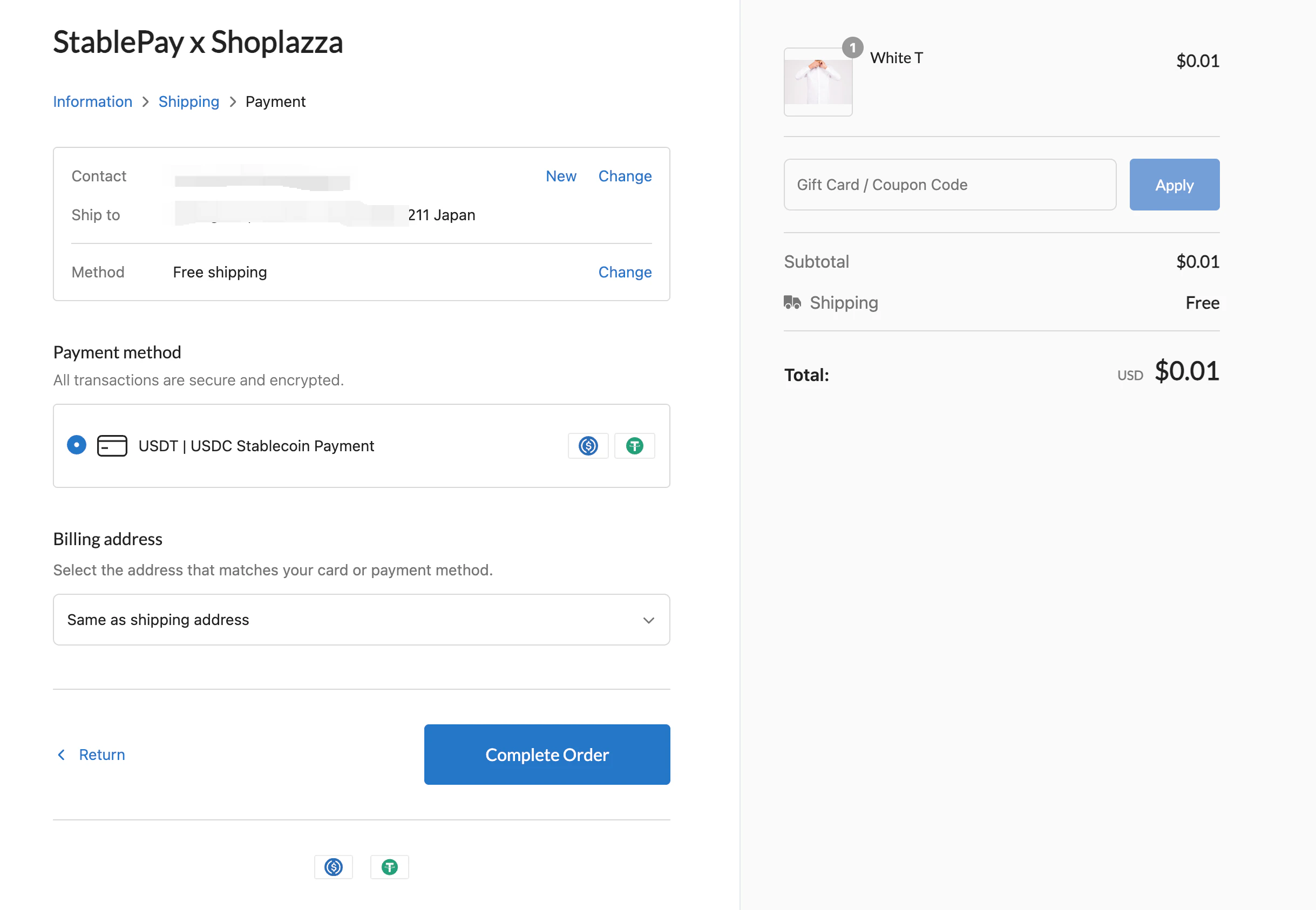
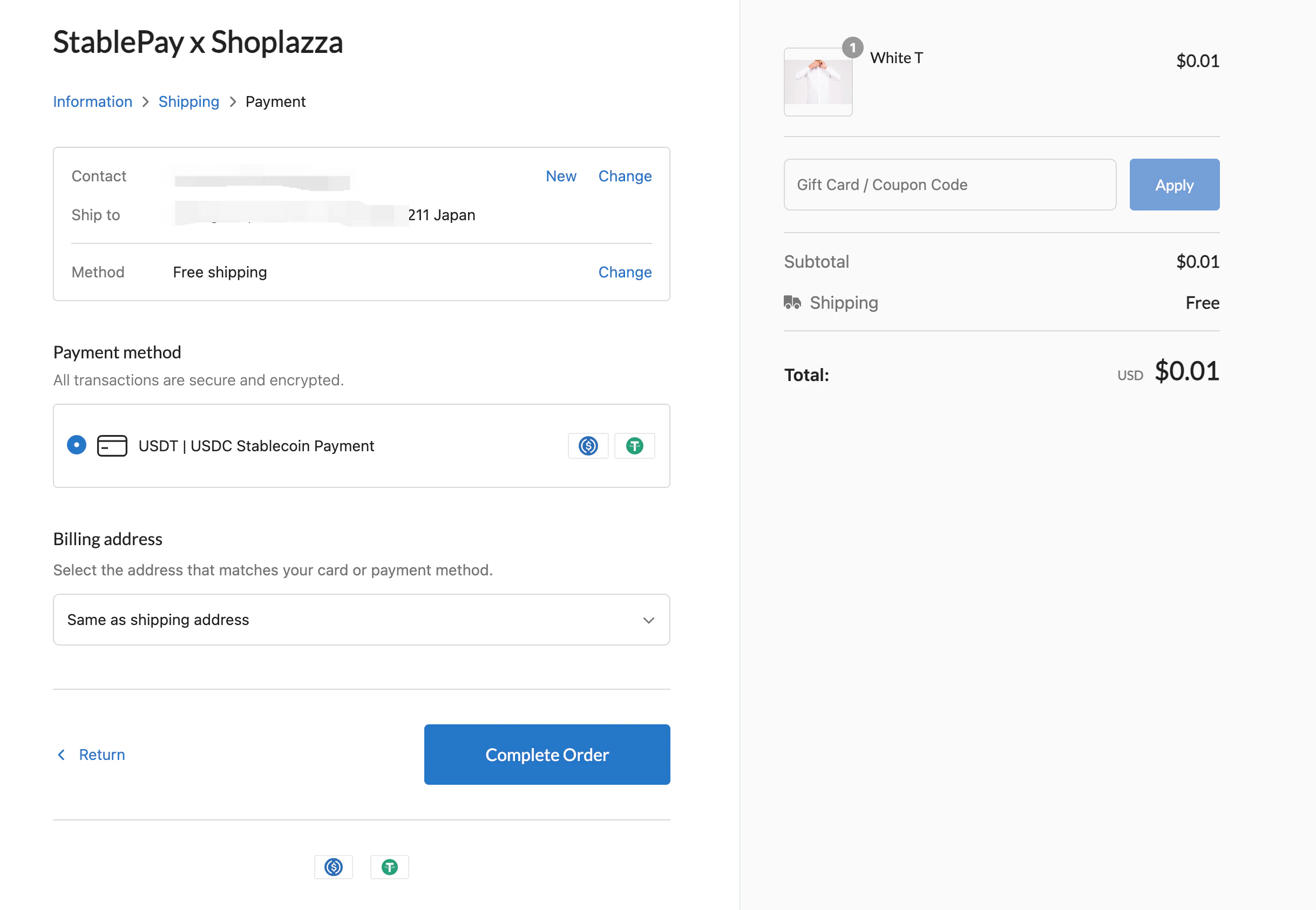
StablePay can also be displayed in SaaS storefronts and ecommerce platforms.
## SaaS platform examples
StablePay can also be displayed in SaaS storefronts and ecommerce platforms.
 ## Logo assets
Use the StablePay logo when you need provider attribution, such as `Powered by StablePay`.
## Logo assets
Use the StablePay logo when you need provider attribution, such as `Powered by StablePay`.

 * [StablePay payment method logo assets](https://stablepay-docs.oss-cn-hongkong.aliyuncs.com/stablepay-payment-logo.zip)
* [StablePay logo assets](https://stablepay-docs.oss-cn-hongkong.aliyuncs.com/stablepay-logo.zip)
* [USDC logo assets](https://stablepay-docs.oss-cn-hongkong.aliyuncs.com/usdc-logo.zip)
* [USDT logo assets](https://stablepay-docs.oss-cn-hongkong.aliyuncs.com/usdt-logo.zip)
* [MetaMask logo assets](https://stablepay-docs.oss-cn-hongkong.aliyuncs.com/metamask-logo.zip)
* [Trust Wallet logo assets](https://stablepay-docs.oss-cn-hongkong.aliyuncs.com/trust-wallet-logo.zip)
## Related pages
* [Supported Wallets](/en/product/Supported-Wallets)
* [Stablecoin Checkout](/en/product/Stablecoin-Checkout)
* [Payment Links](/en/product/Payment-Links)
* [StablePay payment method logo assets](https://stablepay-docs.oss-cn-hongkong.aliyuncs.com/stablepay-payment-logo.zip)
* [StablePay logo assets](https://stablepay-docs.oss-cn-hongkong.aliyuncs.com/stablepay-logo.zip)
* [USDC logo assets](https://stablepay-docs.oss-cn-hongkong.aliyuncs.com/usdc-logo.zip)
* [USDT logo assets](https://stablepay-docs.oss-cn-hongkong.aliyuncs.com/usdt-logo.zip)
* [MetaMask logo assets](https://stablepay-docs.oss-cn-hongkong.aliyuncs.com/metamask-logo.zip)
* [Trust Wallet logo assets](https://stablepay-docs.oss-cn-hongkong.aliyuncs.com/trust-wallet-logo.zip)
## Related pages
* [Supported Wallets](/en/product/Supported-Wallets)
* [Stablecoin Checkout](/en/product/Stablecoin-Checkout)
* [Payment Links](/en/product/Payment-Links)