> ## Documentation Index
> Fetch the complete documentation index at: https://docs.stablepayfi.ai/llms.txt
> Use this file to discover all available pages before exploring further.
# Shopify
This guide will help you integrate StablePay stablecoin payment functionality into your Shopify store.
## **1. Create Your Shopify Store**
1. Log in to the [**StablePay Merchant Portal**](https://merchant.stablepay.co/#/auth/login).
2. Navigate to the Store Management page and click \[Create Store].Select Shopify as the Channel Type and click submit. Please wait for StablePay's review and approval.
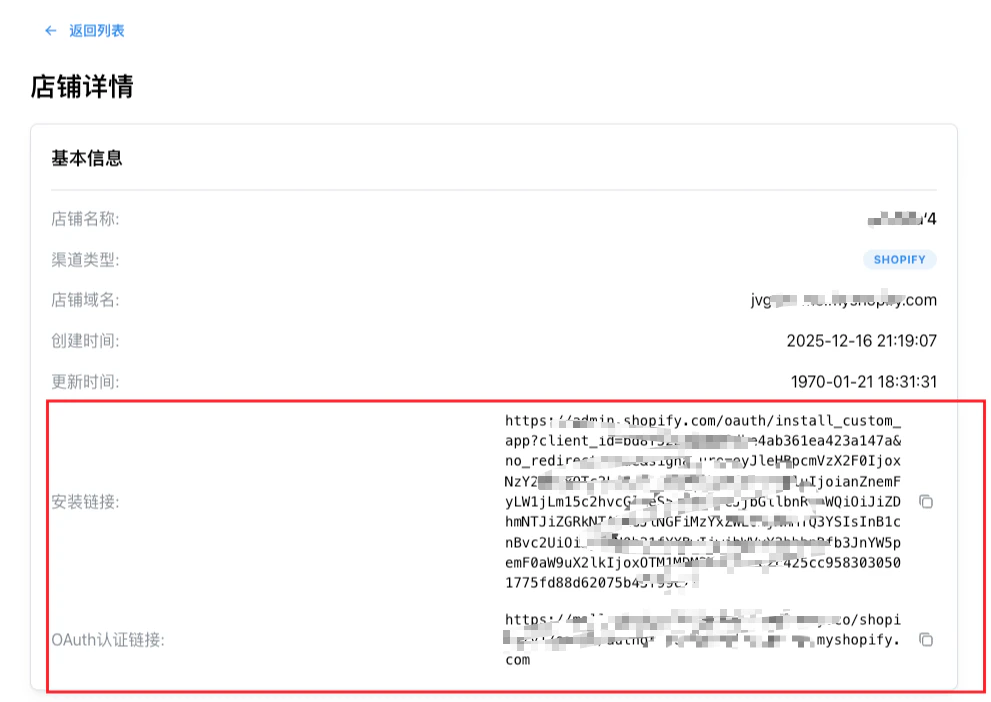
3. Once approved, you can obtain your payment plugin installation link from the Store Details page.
 ***
## **2. Install StablePay Payment Plugin**
### **Step 2.1: Visit Installation Link**
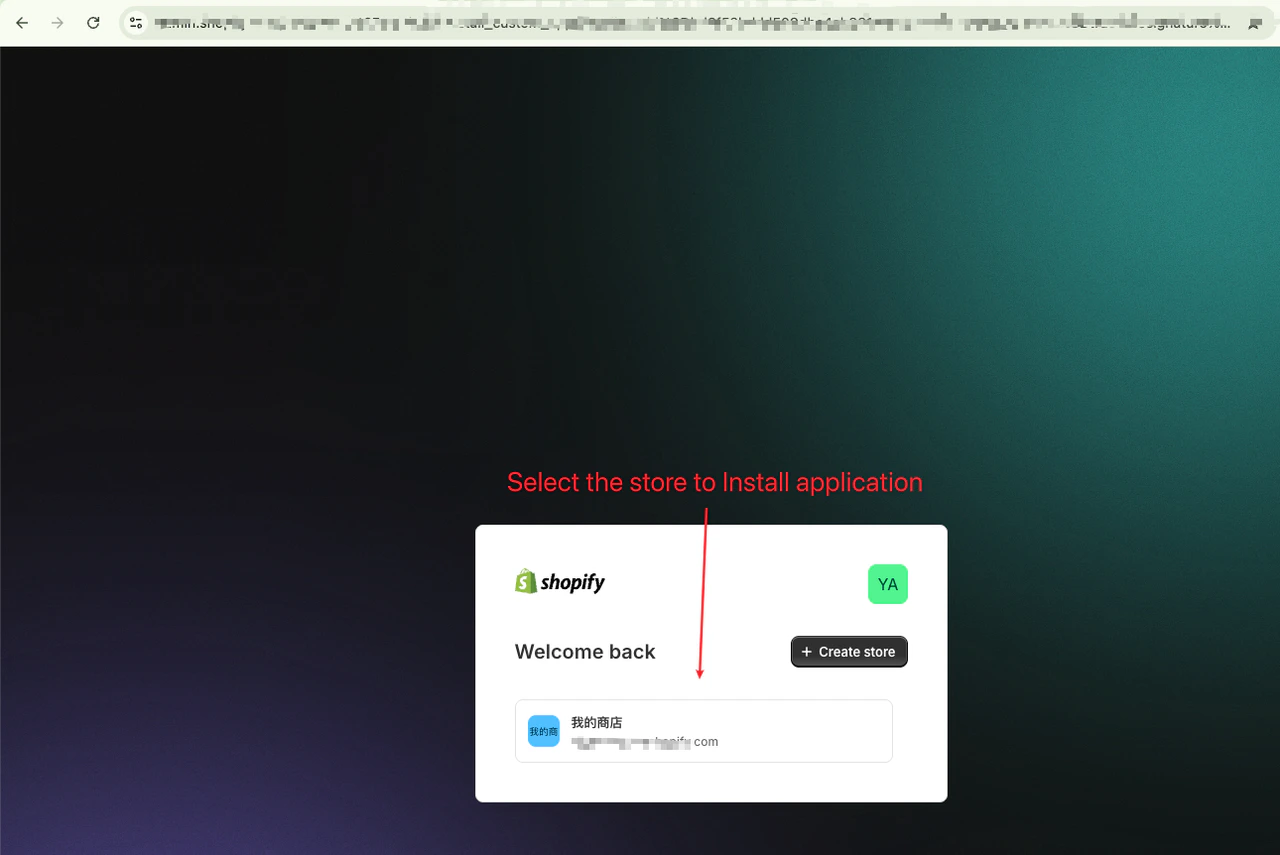
* Make sure you're logged into your Shopify store admin
* Visit the installation link in your browser
***
## **2. Install StablePay Payment Plugin**
### **Step 2.1: Visit Installation Link**
* Make sure you're logged into your Shopify store admin
* Visit the installation link in your browser
 ### **Step 2.2: Install Application**
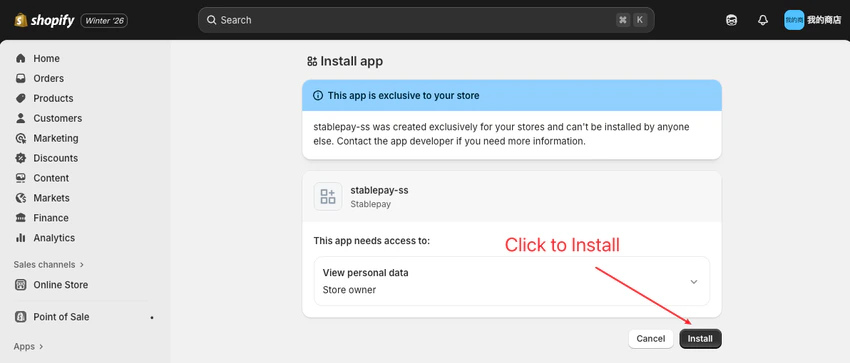
Click the **"Install"** button
### **Step 2.2: Install Application**
Click the **"Install"** button
 ### **Step 2.3: Complete Installation**
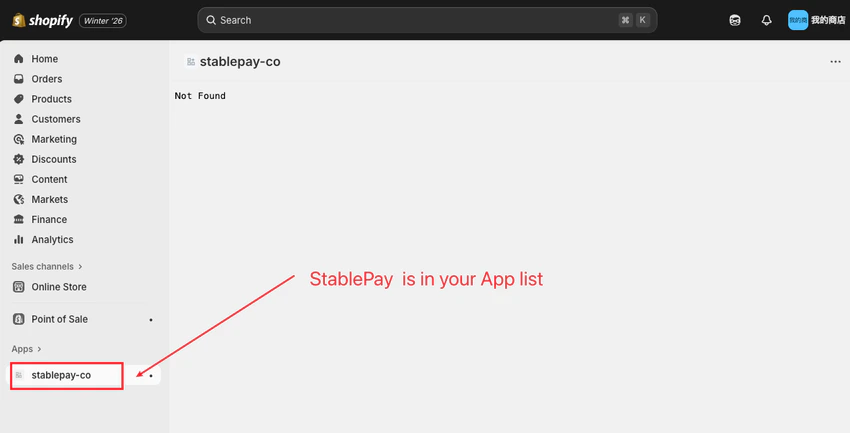 ***
## **3. Complete Pre-configuration**
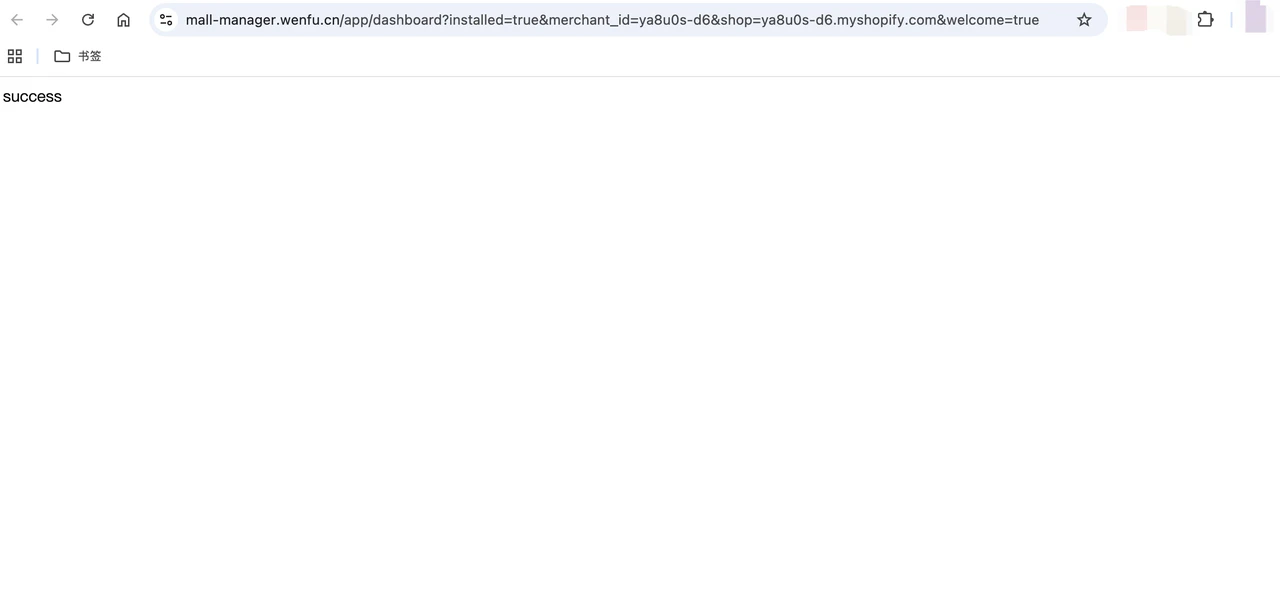
The StablePay team will provide a pre-configuration link. Open the link in your browser to complete the pre-configuration.
A **"success"** message indicates successful pre-configuration.
***
## **3. Complete Pre-configuration**
The StablePay team will provide a pre-configuration link. Open the link in your browser to complete the pre-configuration.
A **"success"** message indicates successful pre-configuration.
 ***
## **4. Configure Stablecoin Payment Method**
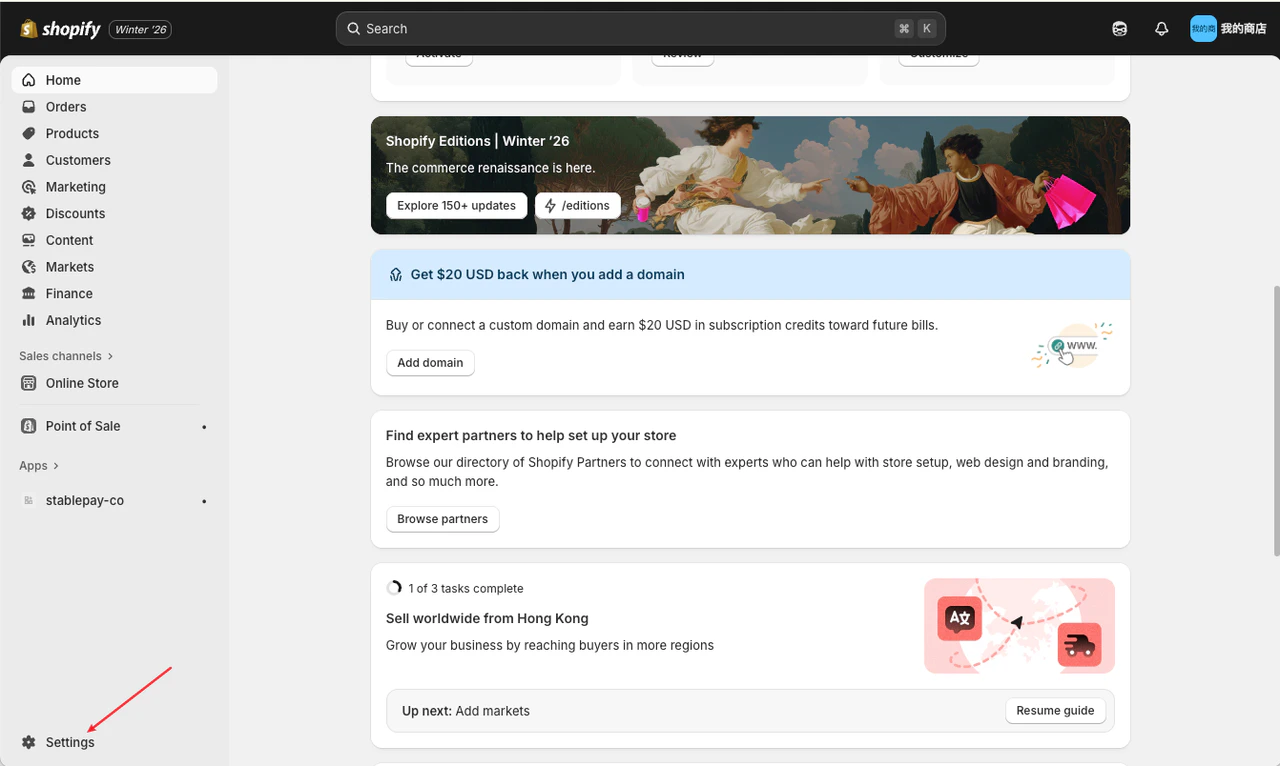
### **Step 4.1: Enter Store Settings**
***
## **4. Configure Stablecoin Payment Method**
### **Step 4.1: Enter Store Settings**
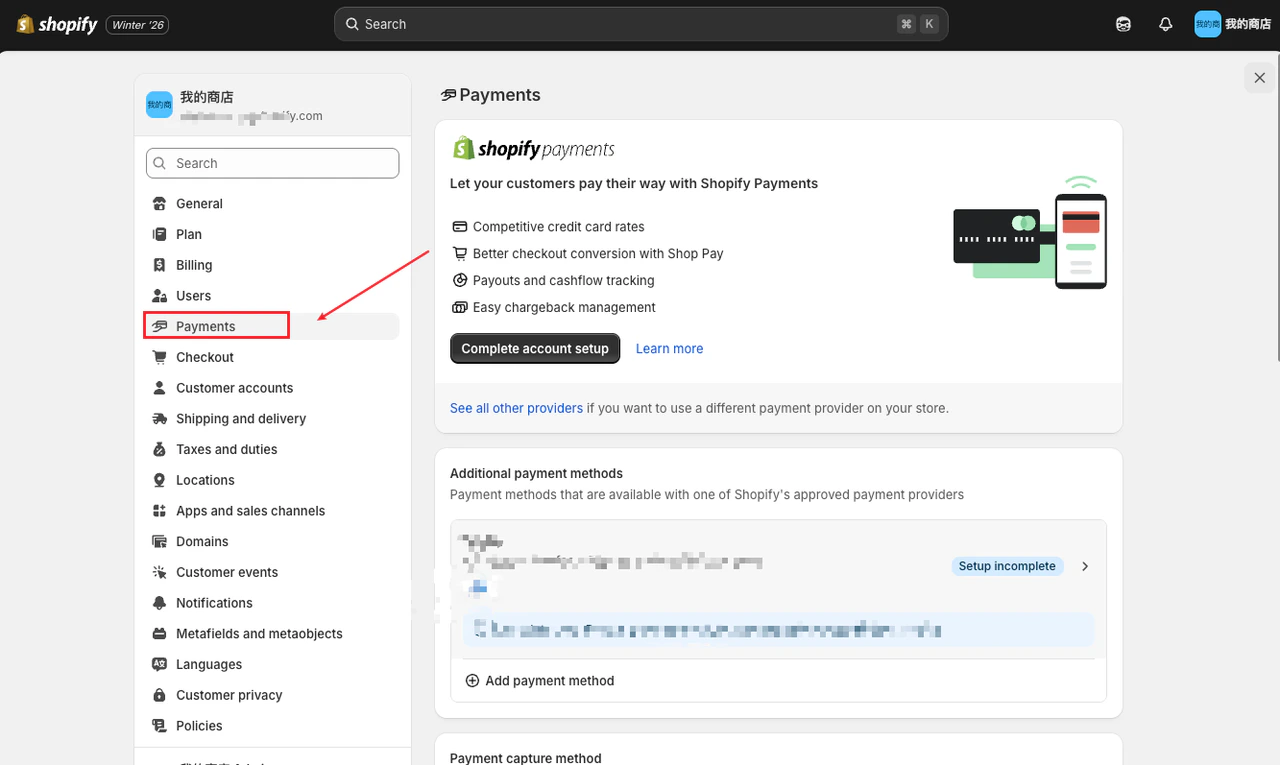
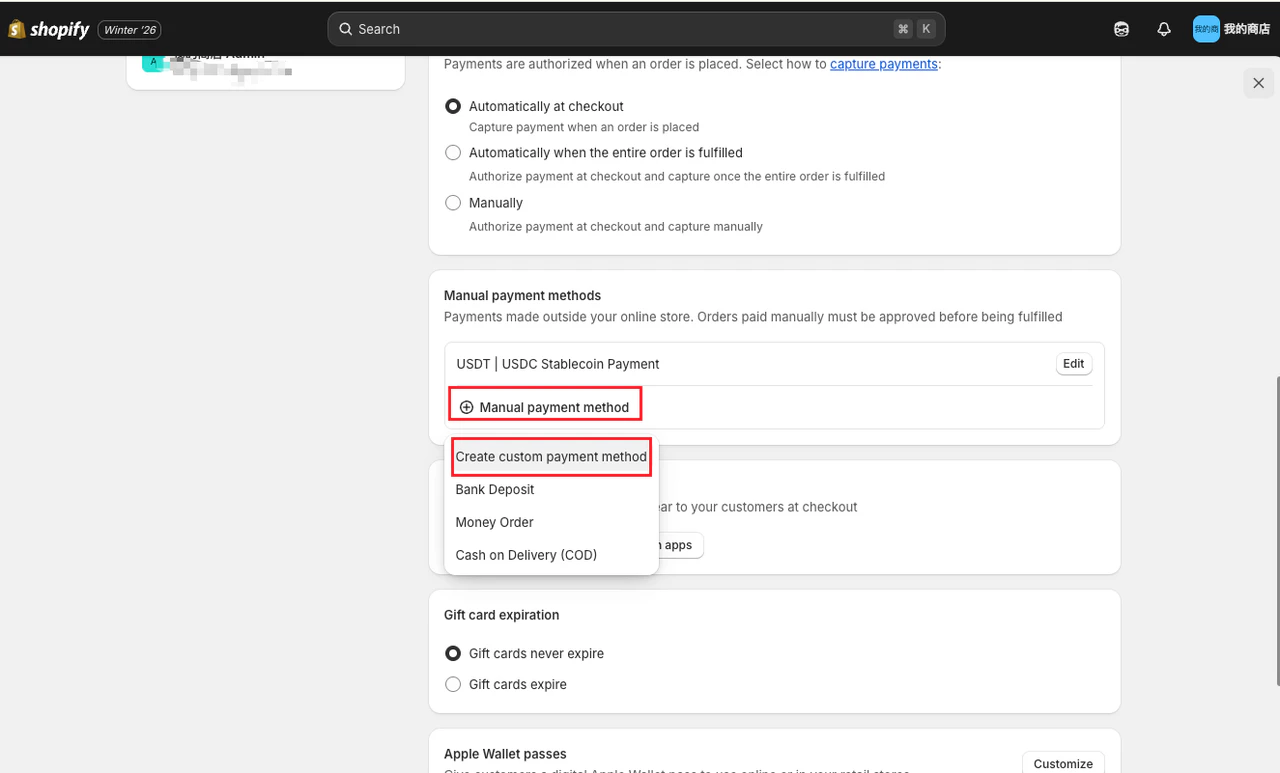
 ### **Step 4.2: Add Custom Stablecoin Payment Method**
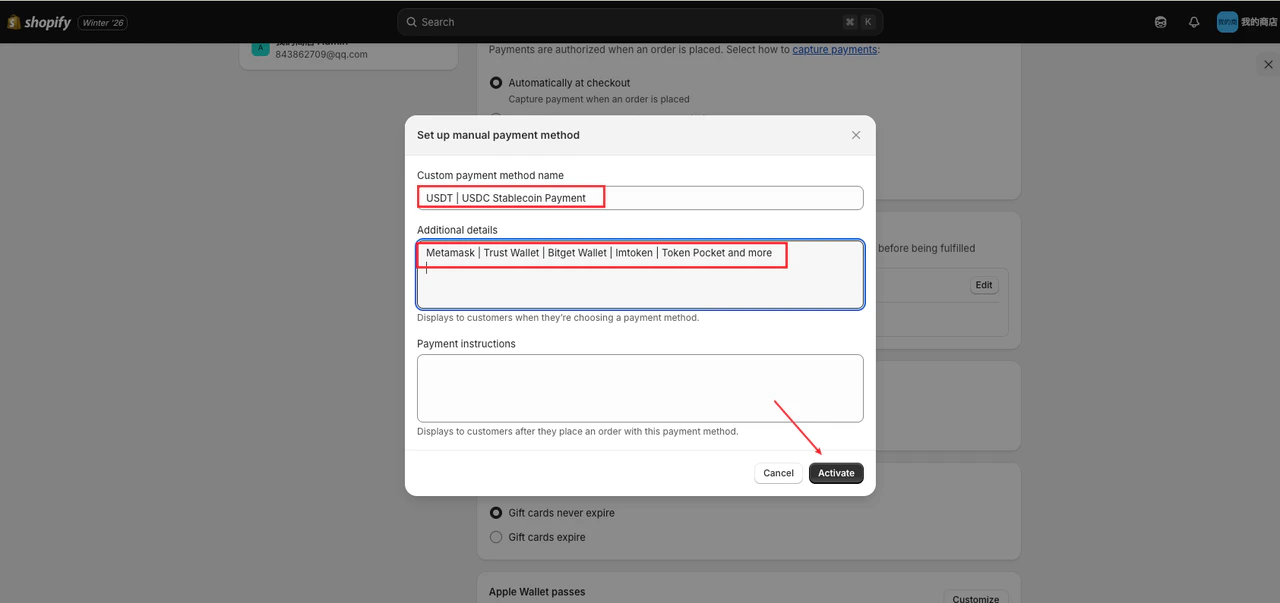 ### **Step 4.3: Fill in Payment Method Information**
**Custom Payment Method Name**:
```text theme={"system"}
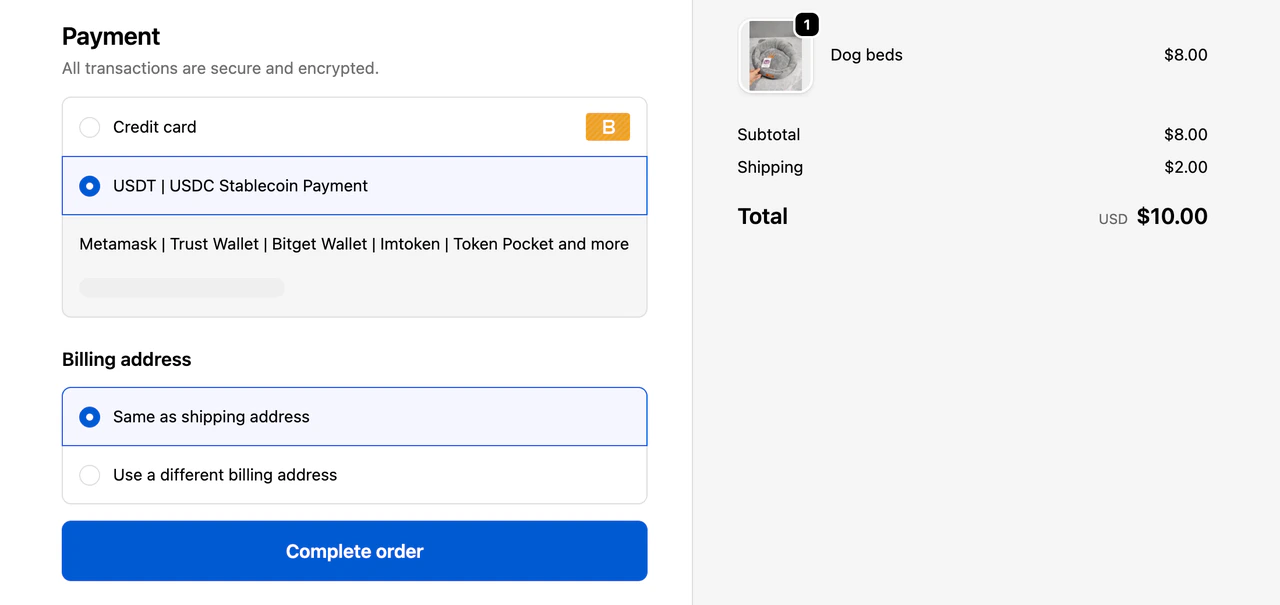
USDT | USDC Stablecoin Payment
```
**Additional Details**:
```text theme={"system"}
Metamask | Trust Wallet | Bitget Wallet | Imtoken | Token Pocket and more
```
***
## **5. Configure Checkout Process**
### **Step 5.1: Configure UI Interface**
### **Step 4.3: Fill in Payment Method Information**
**Custom Payment Method Name**:
```text theme={"system"}
USDT | USDC Stablecoin Payment
```
**Additional Details**:
```text theme={"system"}
Metamask | Trust Wallet | Bitget Wallet | Imtoken | Token Pocket and more
```
***
## **5. Configure Checkout Process**
### **Step 5.1: Configure UI Interface**
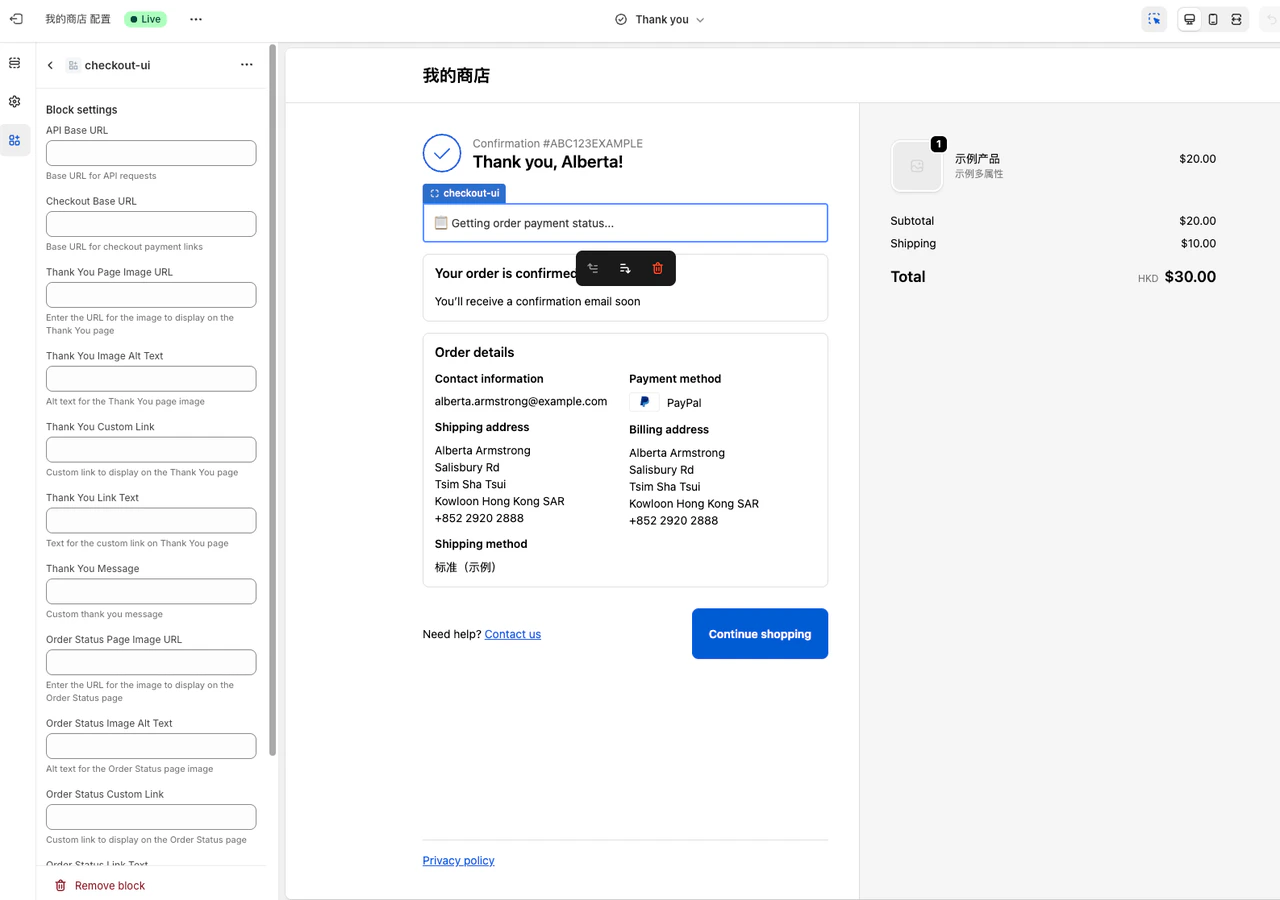
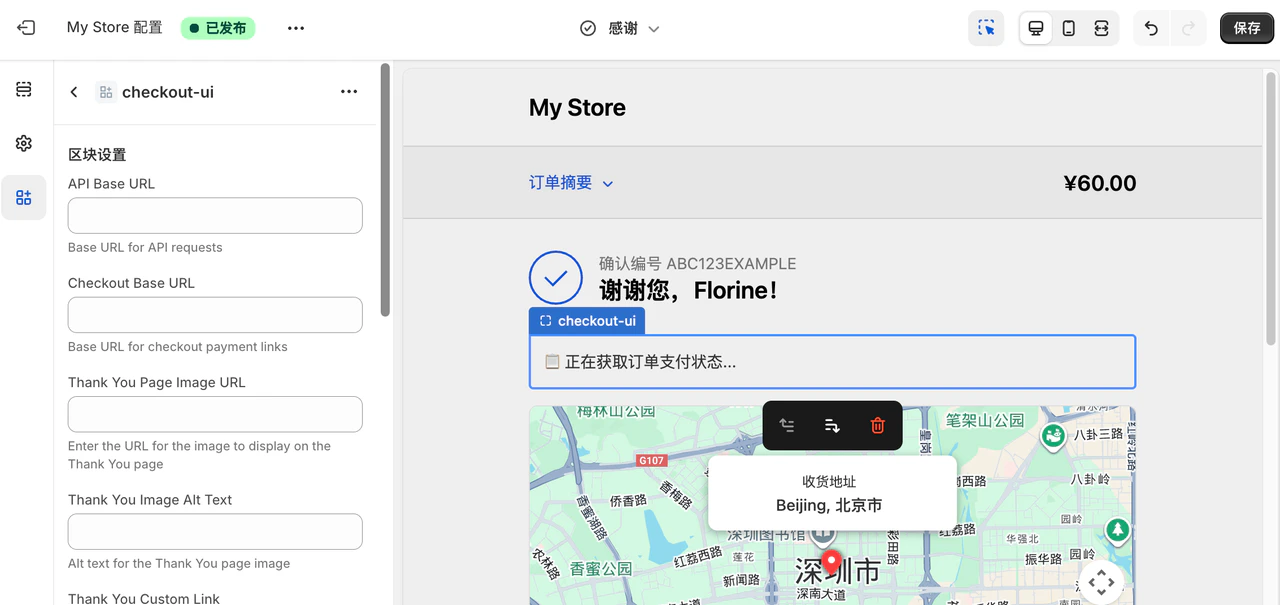
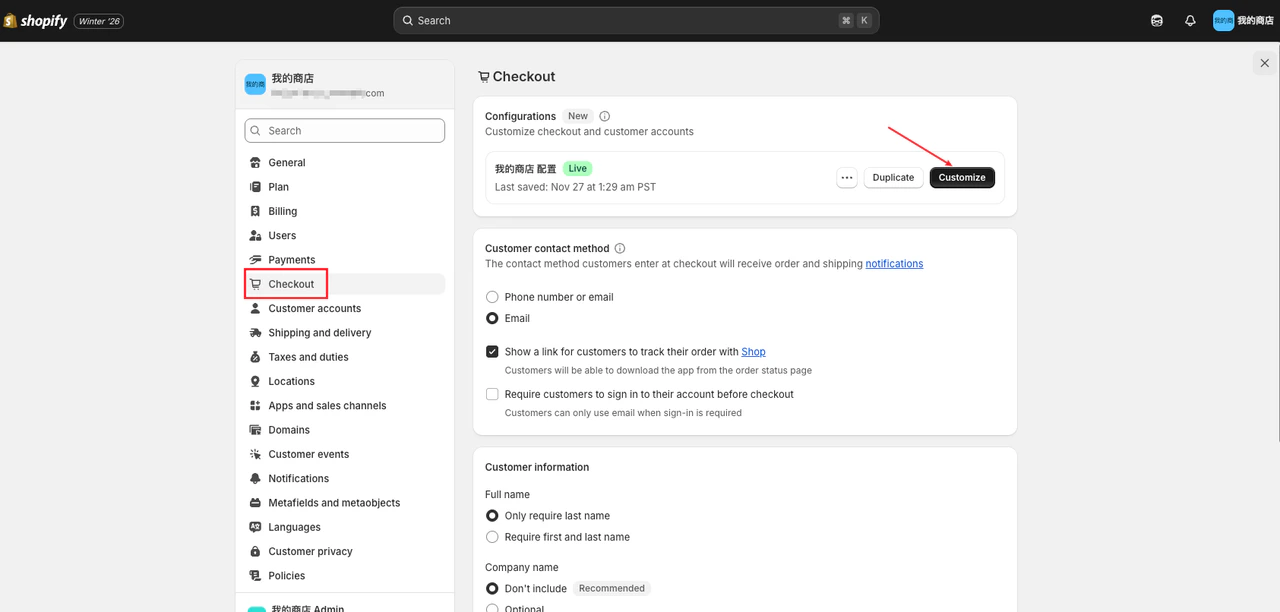 ### **Step 5.2: Click Customize**
Click customize to see the following interface:
### **Step 5.2: Click Customize**
Click customize to see the following interface:
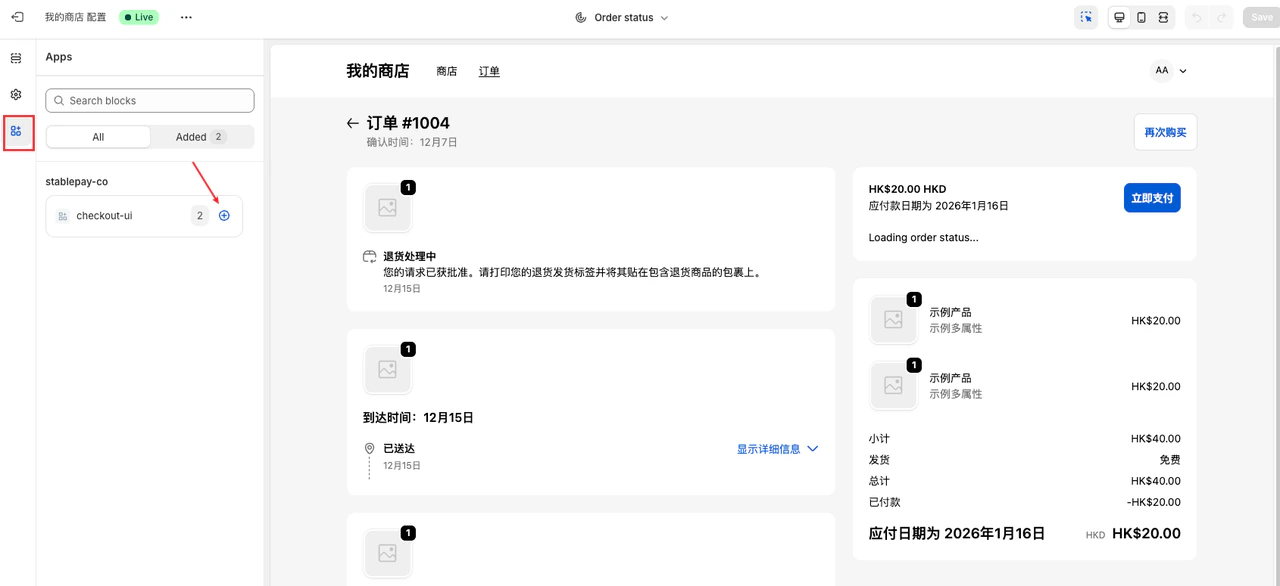
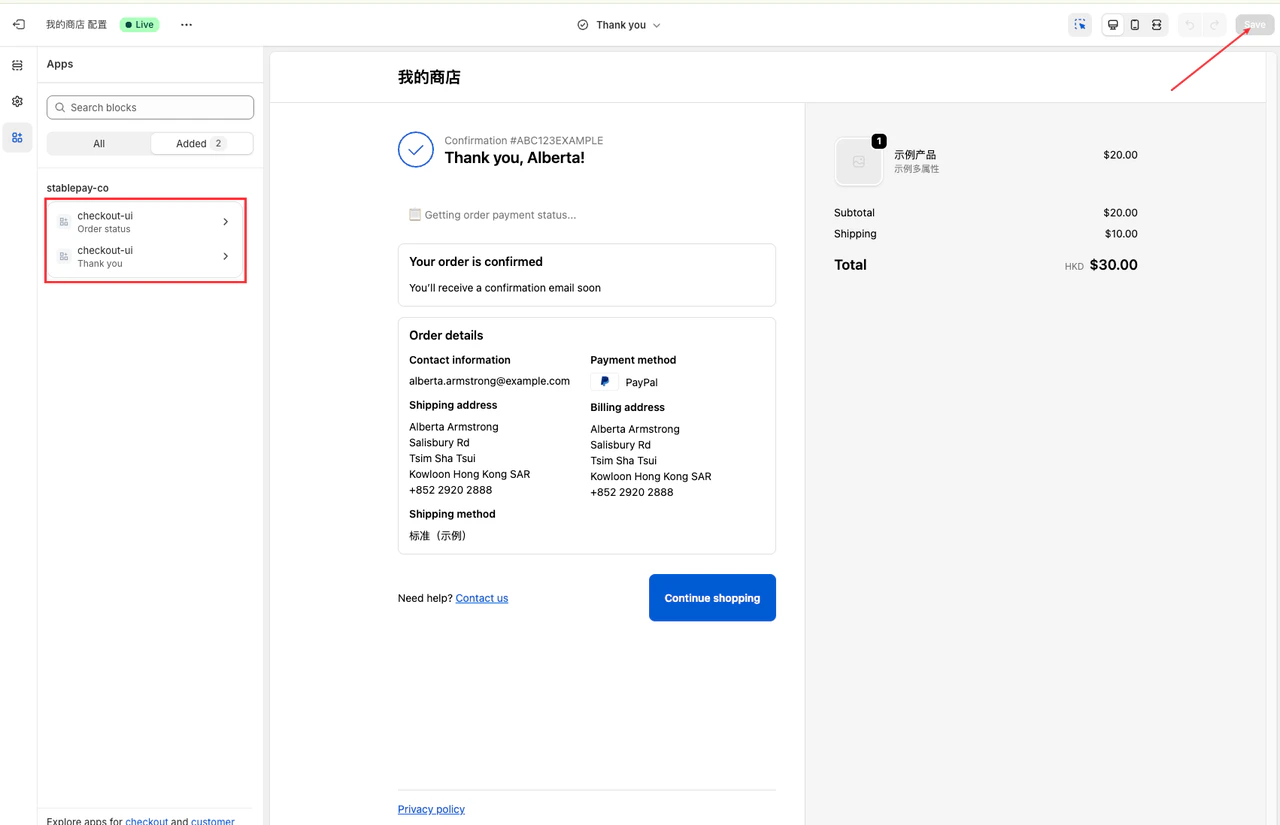
 ### **Step 5.3: Add Thank You and Order Status Pages**
Add both **Thank You** and **Order Status** pages, then **Save** to apply changes.
### **Step 5.3: Add Thank You and Order Status Pages**
Add both **Thank You** and **Order Status** pages, then **Save** to apply changes.
 ***
## **6. Configuration Complete - Start Accepting Payments with StablePay**
***
## **6. Configuration Complete - Start Accepting Payments with StablePay**