跳转到主要内容

Documentation Index

Fetch the complete documentation index at: https://docs.stablepayfi.ai/llms.txt

Use this file to discover all available pages before exploring further.

本指南将帮助您在 Shopify 店铺中集成 StablePay 稳定币支付功能。

1. 创建您的Shopify店铺

  1. 登录StablePay 商户后台
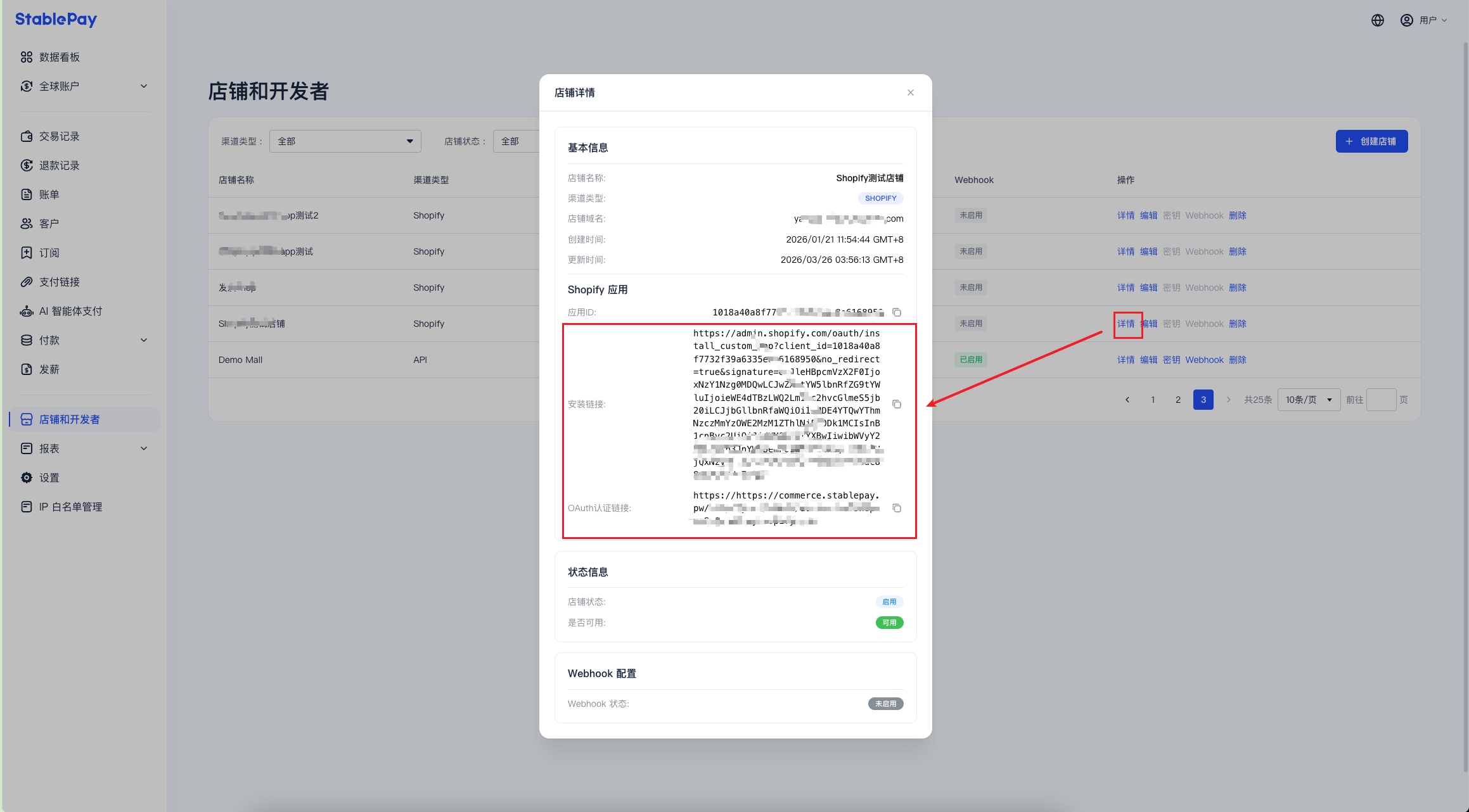
  2. 进入 店铺管理 页面,点击 [创建店铺],渠道类型 选择Shopify,提交后等待StablePay审核
  3. 审核通过后,您可以通过店铺详情页获得您的支付插件安装链接
Shopify

2. 使用 StablePay 支付插件链接安装

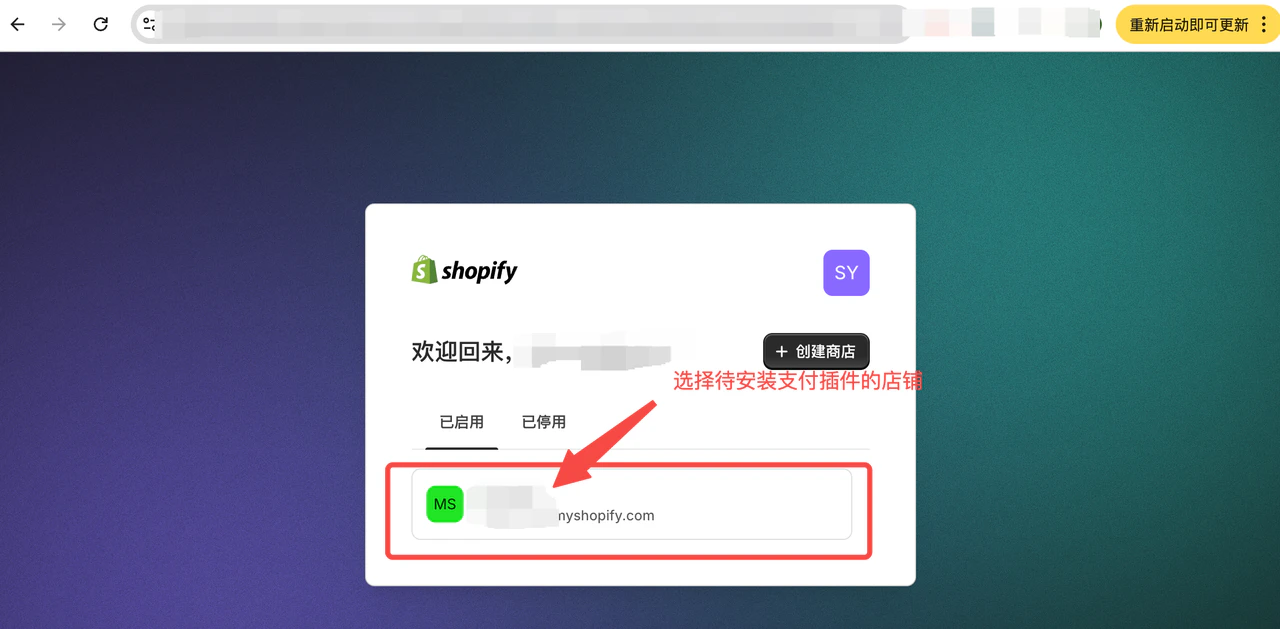
步骤 2.1:访问安装链接

  • 确保已登录您的 Shopify 商店后台
  • 在浏览器中访问安装链接
    Shopify3

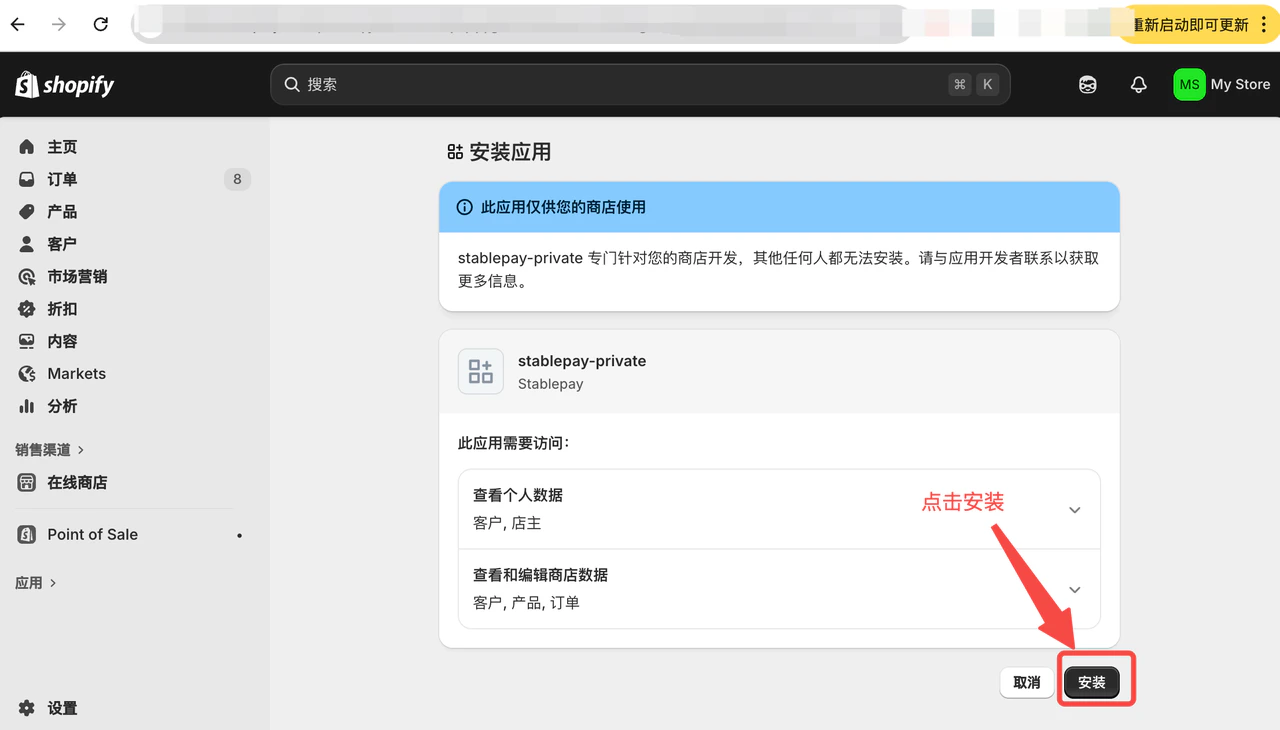
步骤 2.2:安装应用

点击 “安装” 按钮
Shopify4

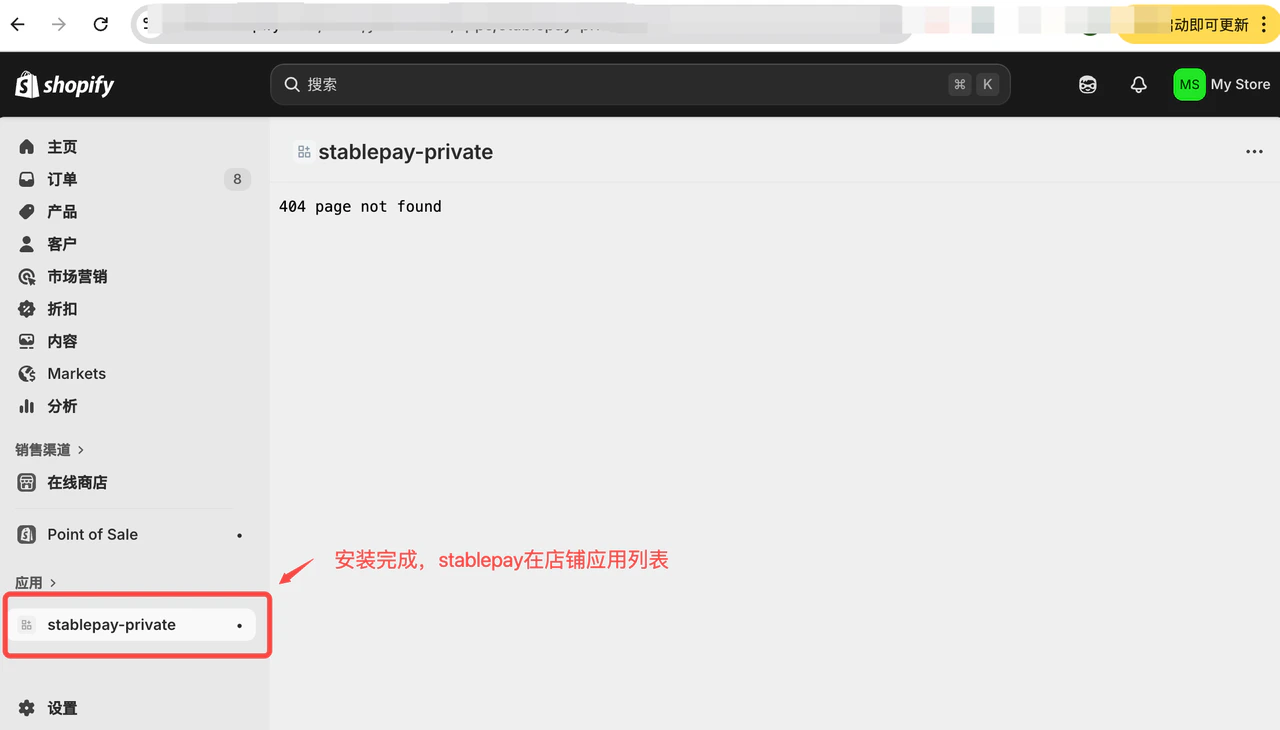
步骤 2.3:完成安装

Shopify5

3. 访问预配置链接完成预配置

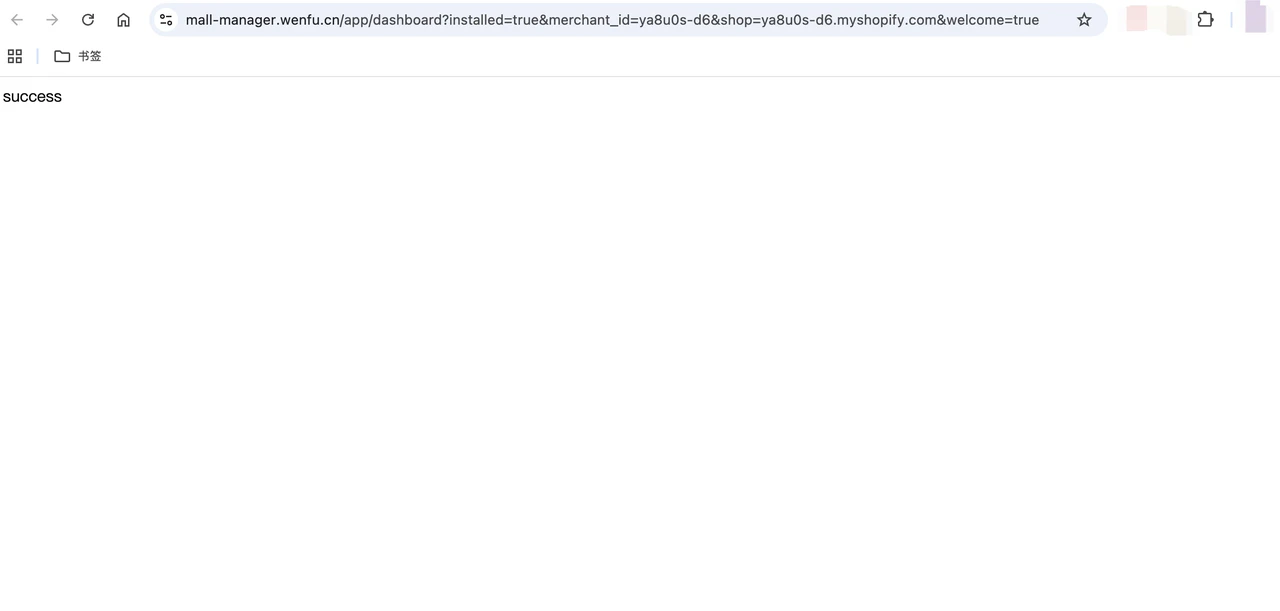
StablePay 对接人员提供预配置链接,将链接放到浏览器并访问,完成预配置。 提示 “success”,表示预配置成功。
Shopify6

4. 配置稳定币收款方式

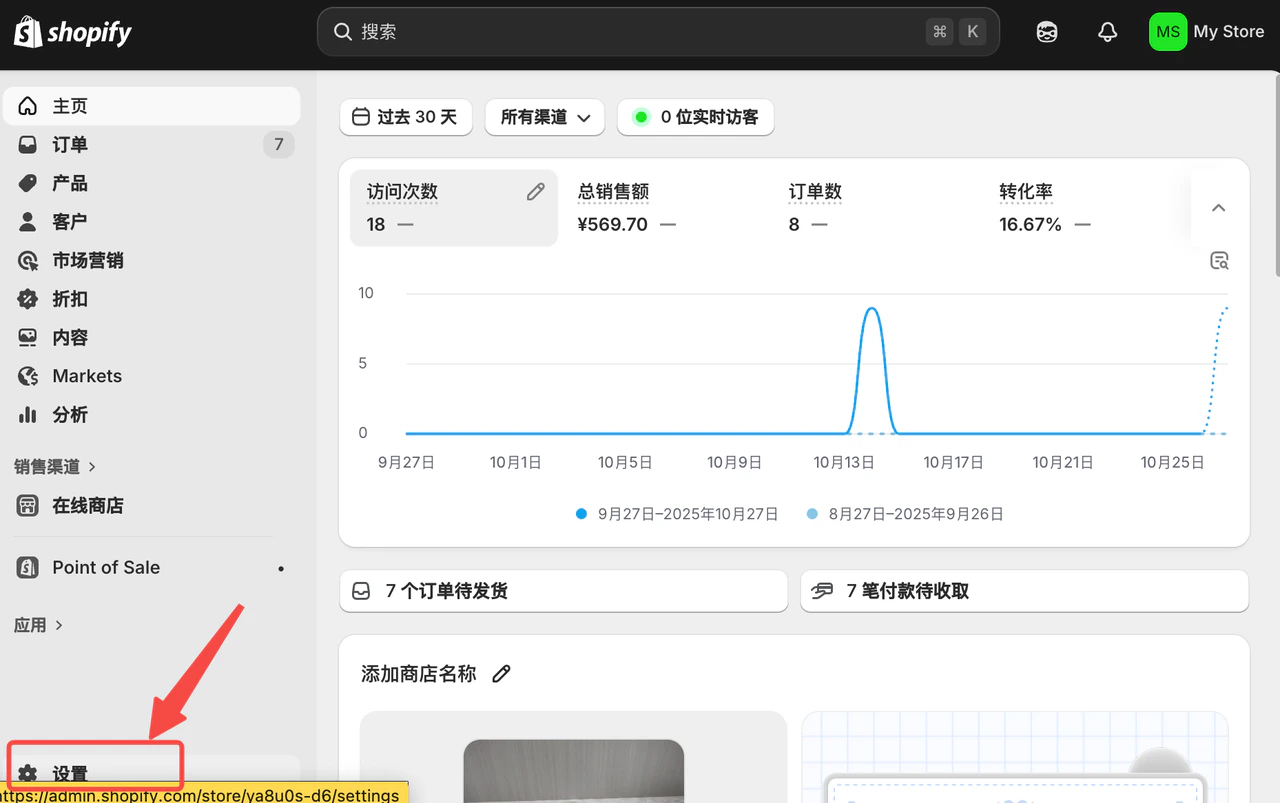
步骤 4.1:进入店铺设置

Shopify7

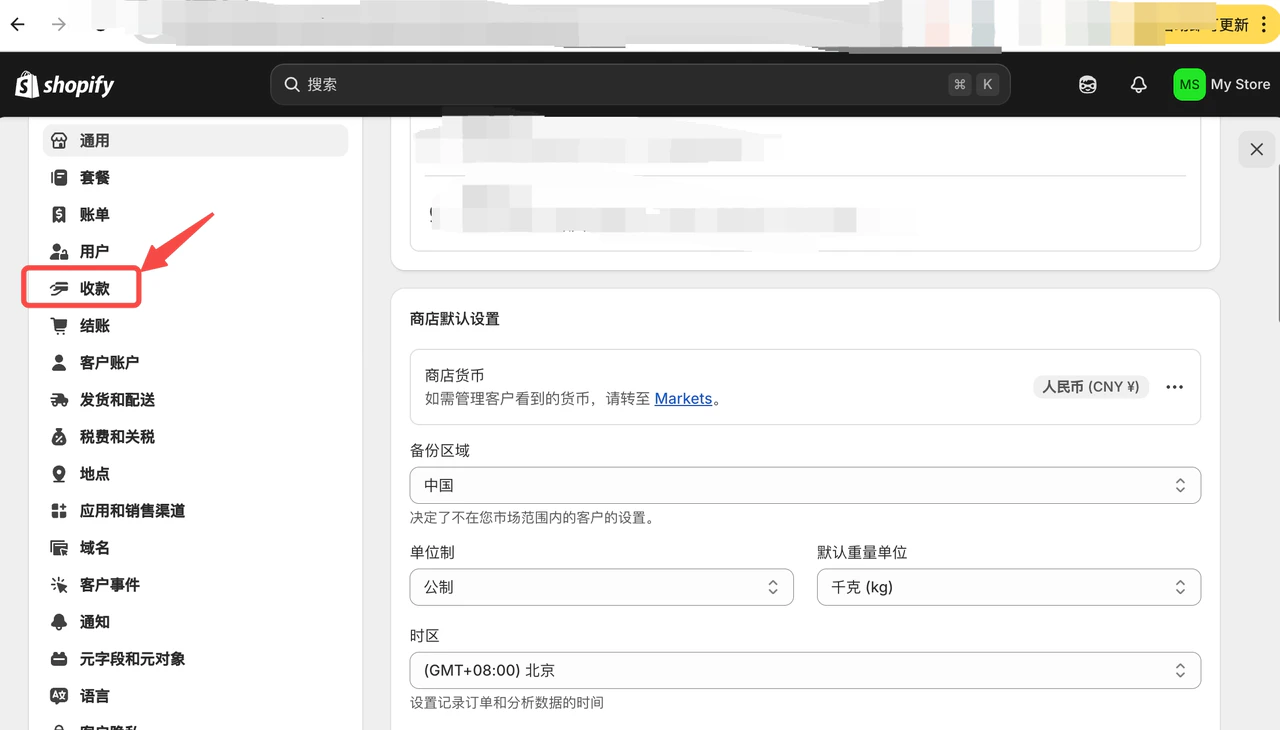
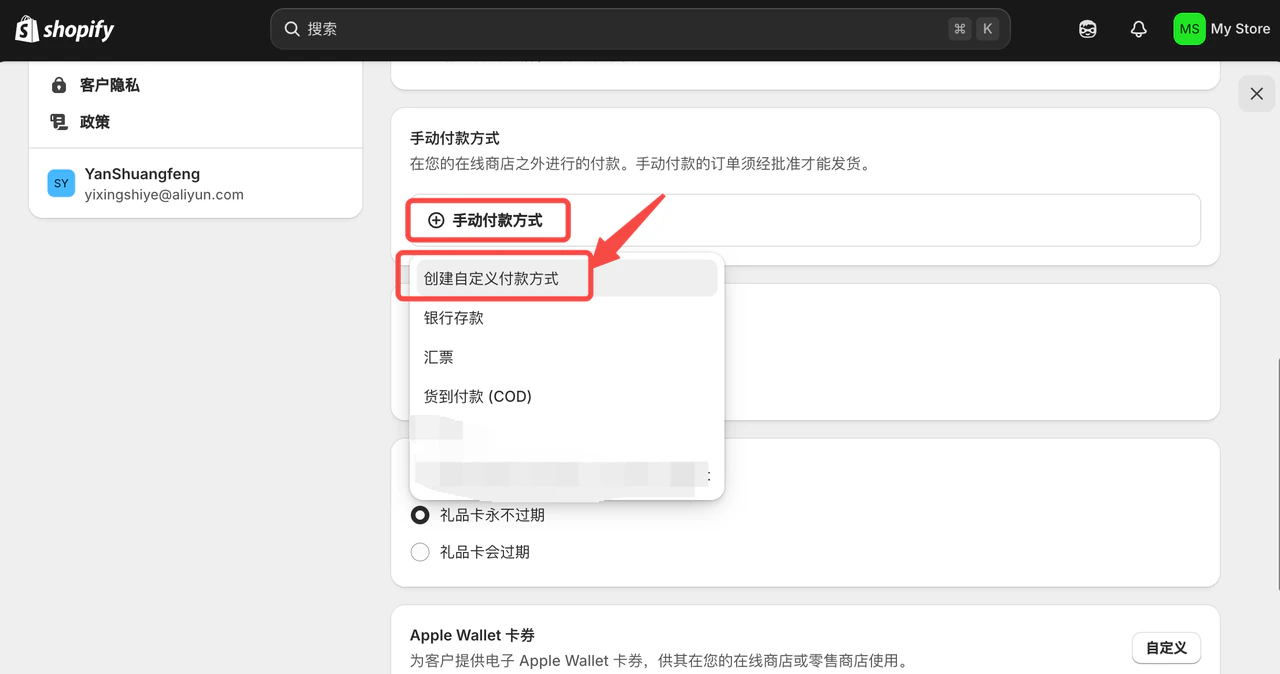
步骤 4.2:自定义添加稳定币收款方式

Shopify8
Shopify9
Shopify10

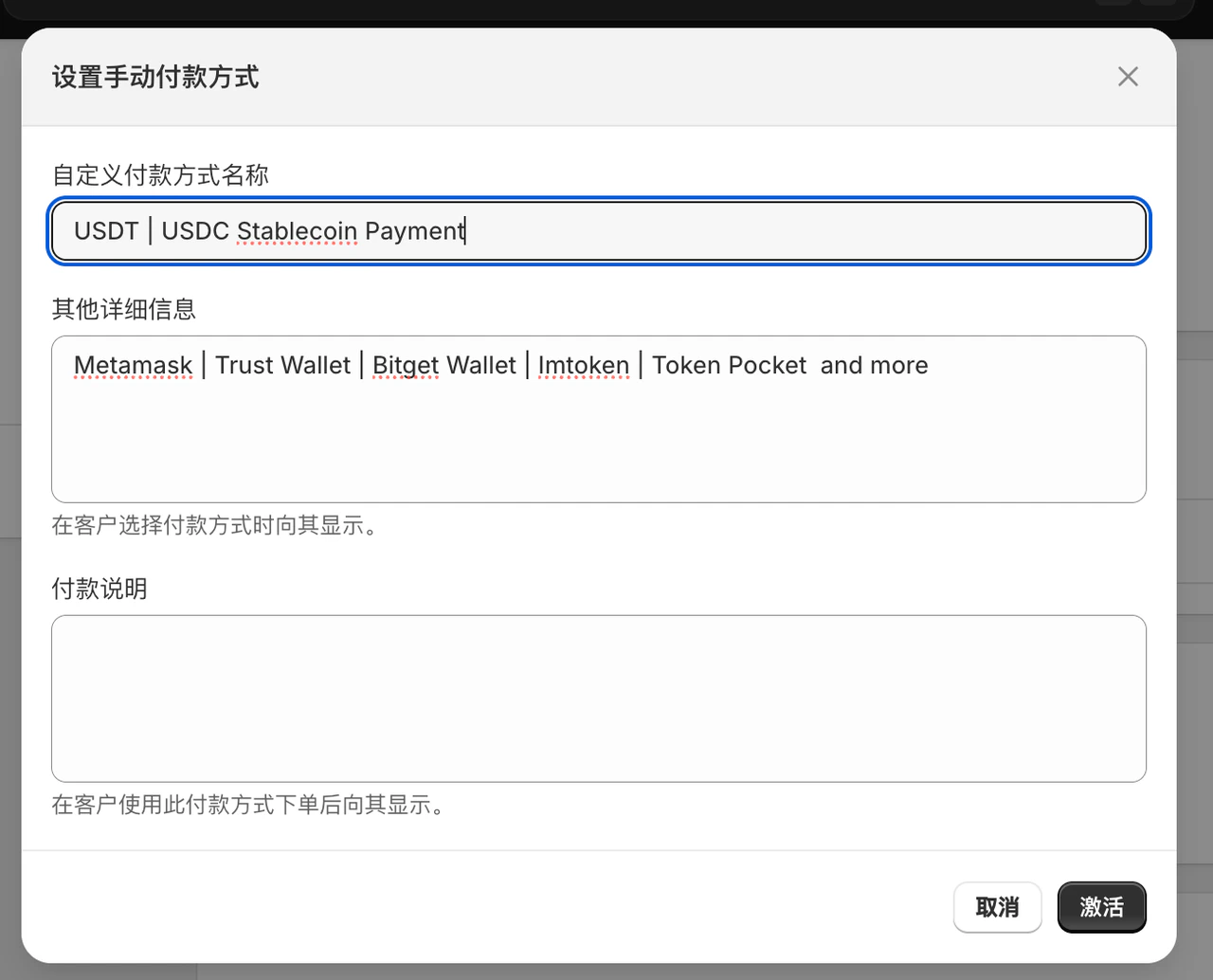
步骤 4.3:填写支付方式信息

自定义付款方式名称:
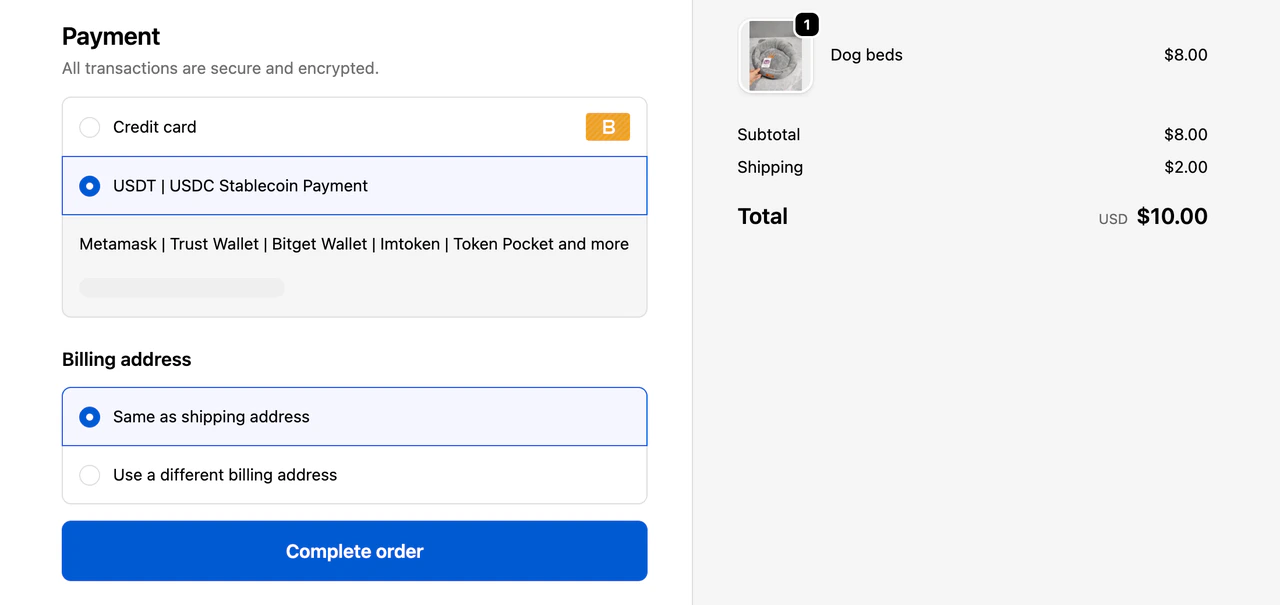
USDT | USDC Stablecoin Payment
其他详细信息:
Metamask | Trust Wallet | Bitget Wallet | Imtoken | Token Pocket and more

5. 配置结账流程

步骤 5.1:配置 UI 界面

Shopify11

步骤 5.2:点击自定义

点击自定义,会出现下面界面:
Shopify12
Shopify13
Shopify14

步骤 5.3:添加感谢和订单状态

同时添加 感谢订单状态,最后 保存生效
Shopify15

6. 配置完成,开始用 StablePay 收款

Shopify16
Last modified on April 30, 2026