
Pay In: Collecting payments from customers, including hosted checkout, invoicing, payment links, SaaS platform integrations, and subscription billing.Pay Out: Disbursing funds to external wallets or another StablePay Account.
Recommended Onboarding Path
- Complete merchant registration via the StablePay Portal.
- Determine whether your primary need is
Pay In,Pay Out, or both. - Select the appropriate product path based on your business scenario.
- Complete StablePay KYB and await capability review and activation according to product requirements.
- Complete optional configurations such as branding and notifications.
- Test critical business processes before going live.
Self-Service Registration
StablePay supports merchant self-service registration. After registration, merchants can log in to the Merchant Portal to select products, submit KYB, test workflows, and gradually activate required capabilities.Register Now
Open the StablePay Merchant Portal and create your merchant account.
Choose the Right Product
Pay In
When you need to collect payments from customers, start with these products.Stablecoin Checkout
Accept one-time stablecoin payments through a hosted checkout.
Invoicing
Send bills to designated customers with support for email, PDF, and hosted invoice pages.
Payment Links
Create reusable, publicly shareable one-time payment links.
SaaS Platform Integration
Quickly go live with payment acceptance via Shopify, WooCommerce, Shoplazza, SHOPYY, and other platforms.
Stablecoin Subscriptions
Automatically charge recurring fees on a schedule after initial customer authorization.
Pay Out
When you need to send funds out, start with these products.Payout to Wallets
Disburse stablecoins to external wallet addresses for payroll, commissions, rebates, or bulk distributions.
Payout to StablePay Account
Initiate internal transfers to another StablePay Account via email or Account No.
Other Capabilities
Corporate Cards
Create Budgets, issue virtual cards, and manage corporate expenses.
Refunds
Process refunds for completed payments.
Common Scenarios
Product Selection Matrix
Capability Activation Notes
Stablecoin Checkout,Invoicing,Payment Links,SaaS Platform Integration, andStablecoin Subscriptionsbelong to the Pay In path.Payout to WalletsandPayout to StablePay Accountbelong to the Pay Out path and may require merchant approval, balance configuration, and rollout activation.Corporate Cardsrequires merchant registration, KYB completion, and review by the StablePay merchant team for activation.- If your business involves higher limits, fiat capabilities, or additional compliance requirements, we recommend completing formal KYB verification as soon as possible.
Optional Configuration Steps
Telegram Payment Notifications
If you want your operations or support teams to receive real-time payment alerts in Telegram groups, you can self-configure Telegram Bot notifications via the StablePay Portal after registration.
Checkout Payment Settings
Configure default payment methods, default Transfer rails, expiration times, and underpayment tolerance in Merchant Portal Settings > Payments.
Checkout Payment Settings
StablePay now supports merchants configuring checkout payment strategies centrally in Merchant Portal > Settings > Payments. These configurations apply to StablePay hosted checkout scenarios, including Stablecoin Checkout, Payment Links, and invoice checkout where applicable. Note that these settings only affect newly created checkout sessions or subsequently triggered hosted payment pages, and will not retroactively modify already created sessions.1. Default Payment Method
You can now configure the default payment method priority for checkout:Wallet selectionTransfer to Pay
Transfer to Pay to reduce additional user switching steps.

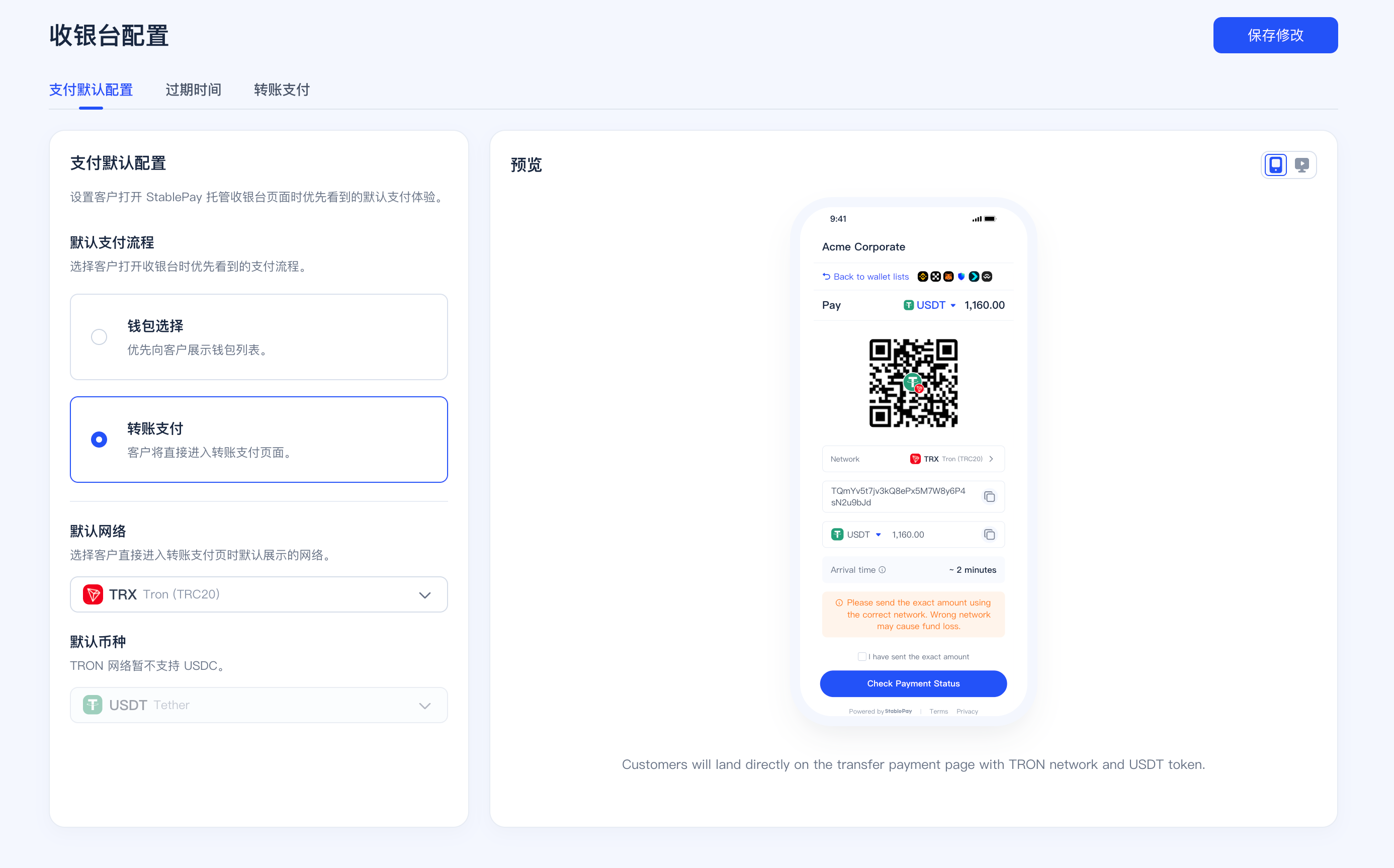
2. Transfer Default Network and Currency
When the default payment method is set toTransfer to Pay, merchants can further set the default displayed network and currency to help customers directly enter the most suitable transfer path.
- Configurable default network
- Configurable default displayed currency
- Different networks support different currency ranges; for example, TRON currently only supports USDT
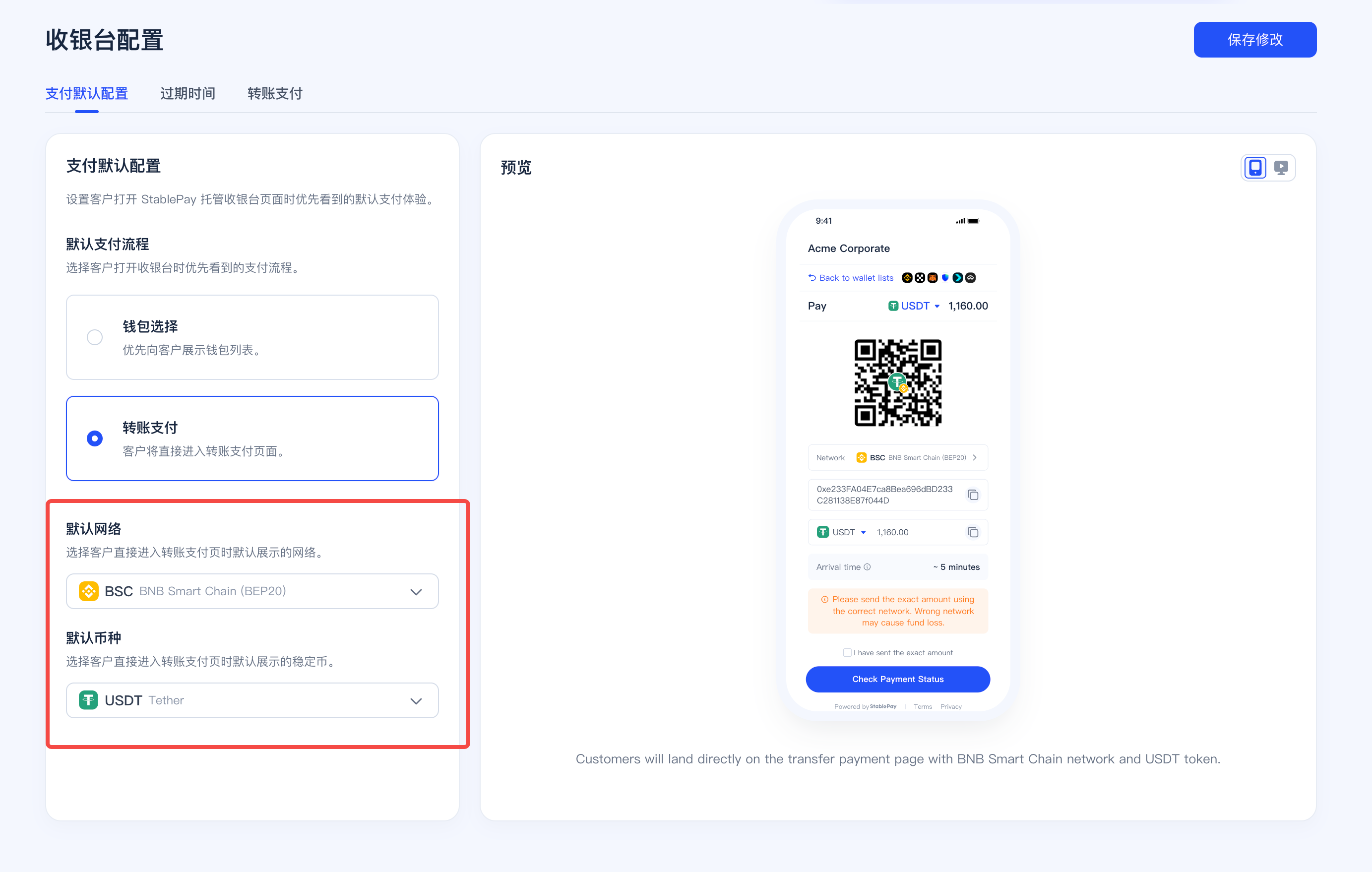
3. Checkout Session Expiration Time
Merchants can now uniformly set the default expiration time for hosted checkout:- Minimum
30 minutes - Maximum
24 hours - Takes effect as the merchant default value
- If merchants create checkout sessions via API, they can still override individually via
expires_in

4. Transfer to Pay Underpayment Tolerance Settings
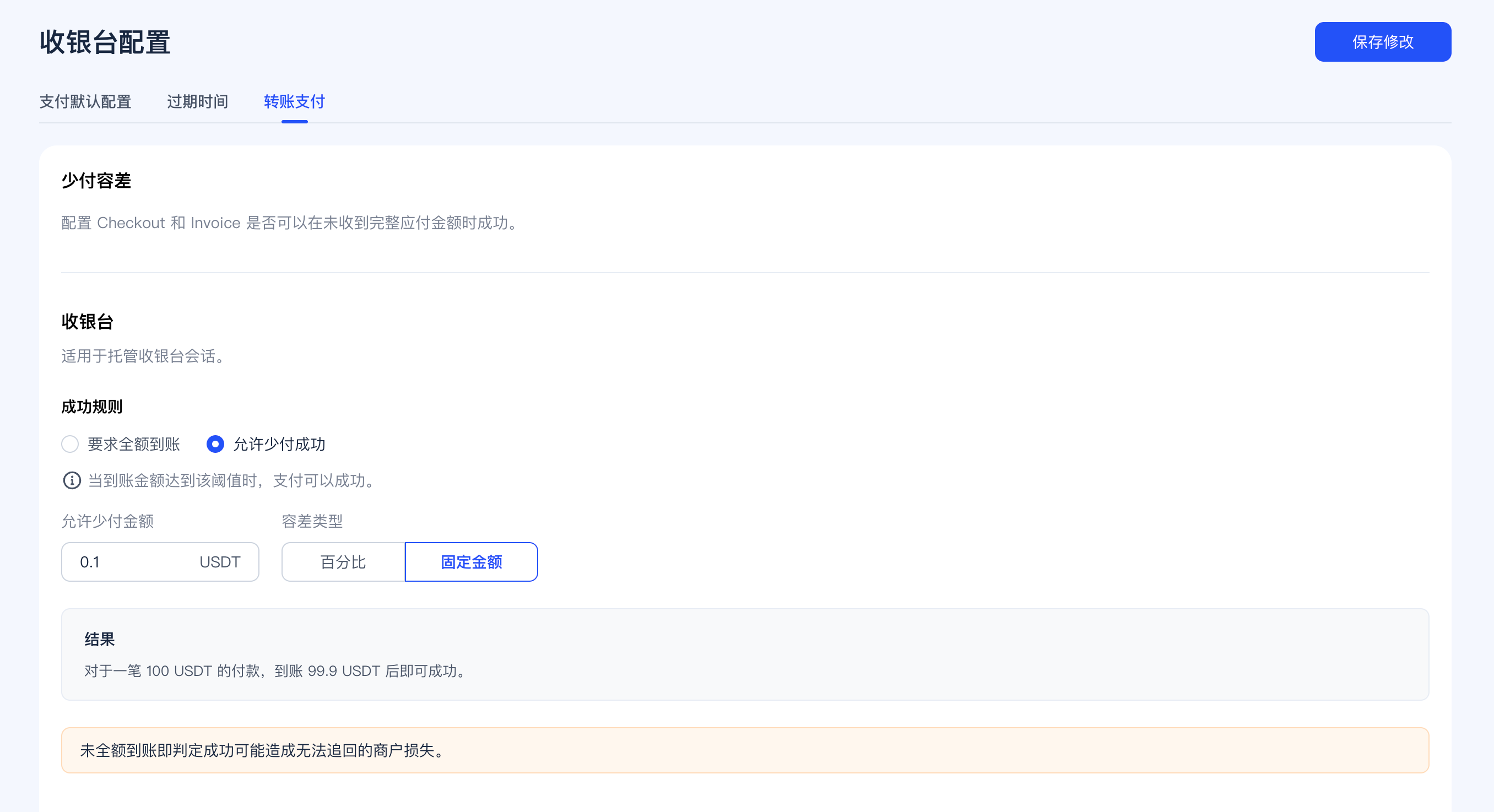
Transfer to Pay underpayment tolerance now supports separate configuration by business scenario:Checkoutconfigured separatelyInvoicingconfigured separately
- Require full amount received
- Allow underpayment success proportionally
- Allow underpayment success by fixed amount
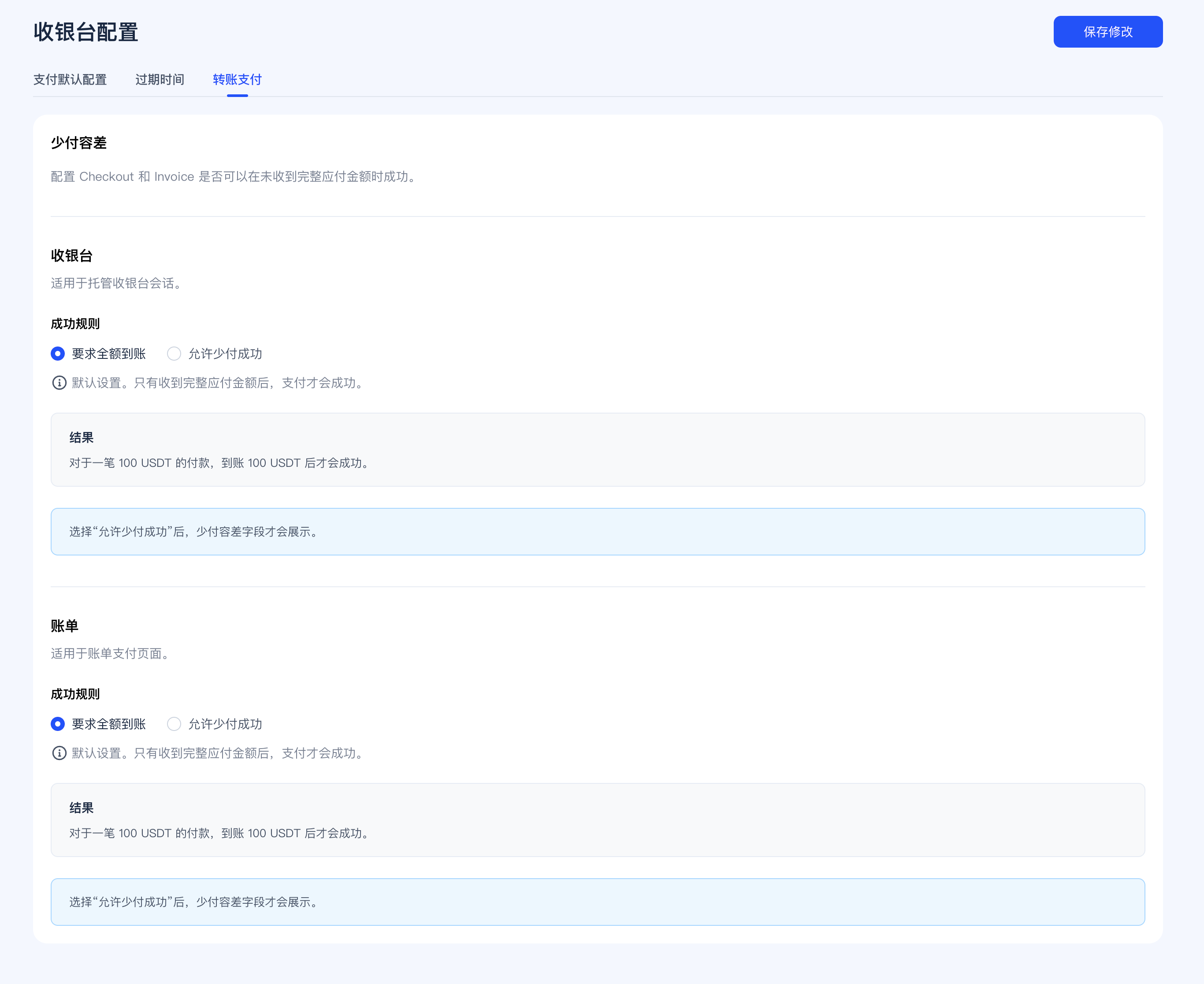
Checkout Tolerance Example
When configured by percentage, you can define the minimum receipt requirement as a percentage of the order amount.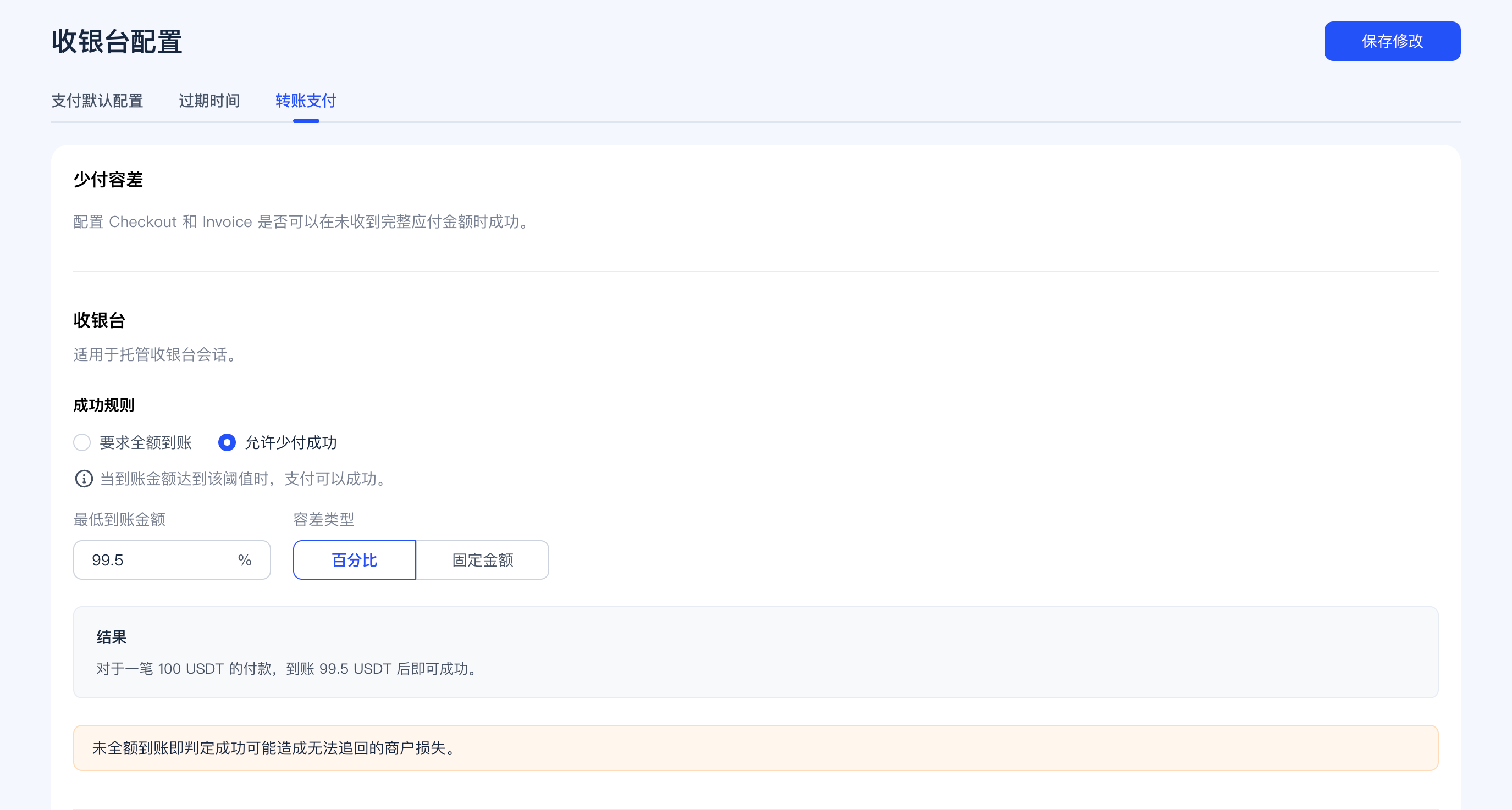
Invoicing Tolerance Example
Invoice checkout underpayment tolerance can be configured independently from Checkout, suitable for merchants accepting small tail differences in B2B billing scenarios.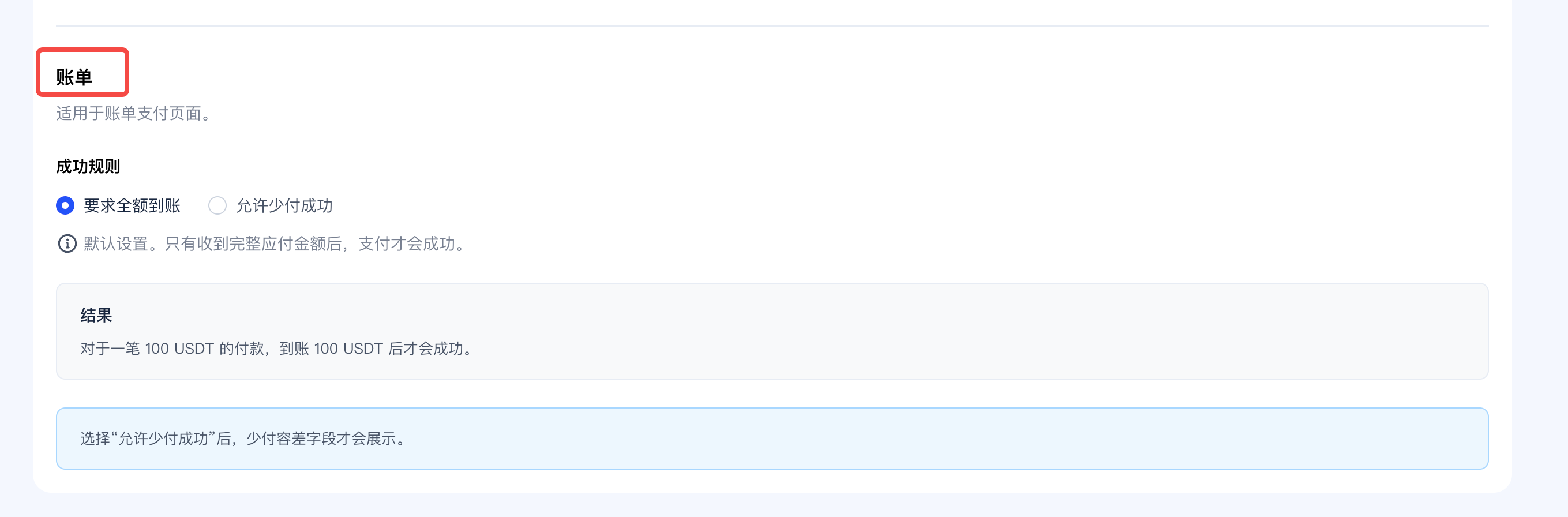
Merchant-side discrepancy handling strategies (such as automatic processing rules after more exceptional receipts) are not yet launched in this release. Therefore, the current documentation only covers default payment methods, Transfer default network and currency, checkout expiration time, and separately configured underpayment tolerance for Checkout / Invoicing.
Trial Limits and Business Scenario Restrictions
If a merchant has not yet completed KYB verification, certain fund-related scenarios will be restricted according to trial limits. After completing KYB, merchants can use corresponding capabilities according to their formally reviewed and approved configuration.The above trial limits are managed at the merchant dimension, with amounts in USD. This means if there are multiple addresses, stores, or business entrances under the same merchant name, they will be calculated in aggregate at the overall merchant dimension.
Pre-Integration Recommendations
- First review Supported Wallets and Supported Networks.
- If you use non-USD pricing, review Currencies & Auto Currency Conversion.
- If you plan to accept payments via platform stores, first review SaaS Platform Integration.
- If you plan to use Pay Out, first review Payout to Wallets and Payout to StablePay Account.
- If you plan to use
Corporate Cards, first review Corporate Cards. - If you want hosted pages to display your brand, first complete Branding Settings.
- Before going live, confirm Compliance and Regional Availability.