
open or past_due, the payer can view the invoice details and complete payment on the hosted invoice page. For payers already holding StablePay Global Account balances, invoice checkout now also supports direct payment using Global Account balances.
Product Demo
Use Cases
Invoicing is appropriate when payments need to be tied to specific customers and specific invoices. Common scenarios include:- B2B or wholesale orders where buyers require formal invoices.
- Professional services, retainers, and sales processes maintained by account managers.
- Manually created payment requests by finance or sales teams.
- Customer-specific amounts, due dates, notes, and line items.
- Processes requiring invoice status tracking, reminders, PDFs, and record retention.
- Payers already holding StablePay Global Account balances who wish to reduce on-chain transfers or wallet connection steps.
Workflow
- The merchant creates an invoice in the Merchant Portal.
- The invoice contains customer information, line items, amount, due date, and optional notes.
- The merchant sends or shares the invoice via email, PDF, or hosted invoice page.
- The payer opens the hosted invoice page, views the invoice details, and selects an appropriate payment method to complete payment.
- StablePay updates the invoice and payment records according to the invoice lifecycle.
Merchant Capabilities
Invoice Lifecycle
past_due is a derived display status used to help merchants identify overdue bills; it does not change the fundamental semantics that the invoice remains open and unpaid.
Hosted Invoice Page
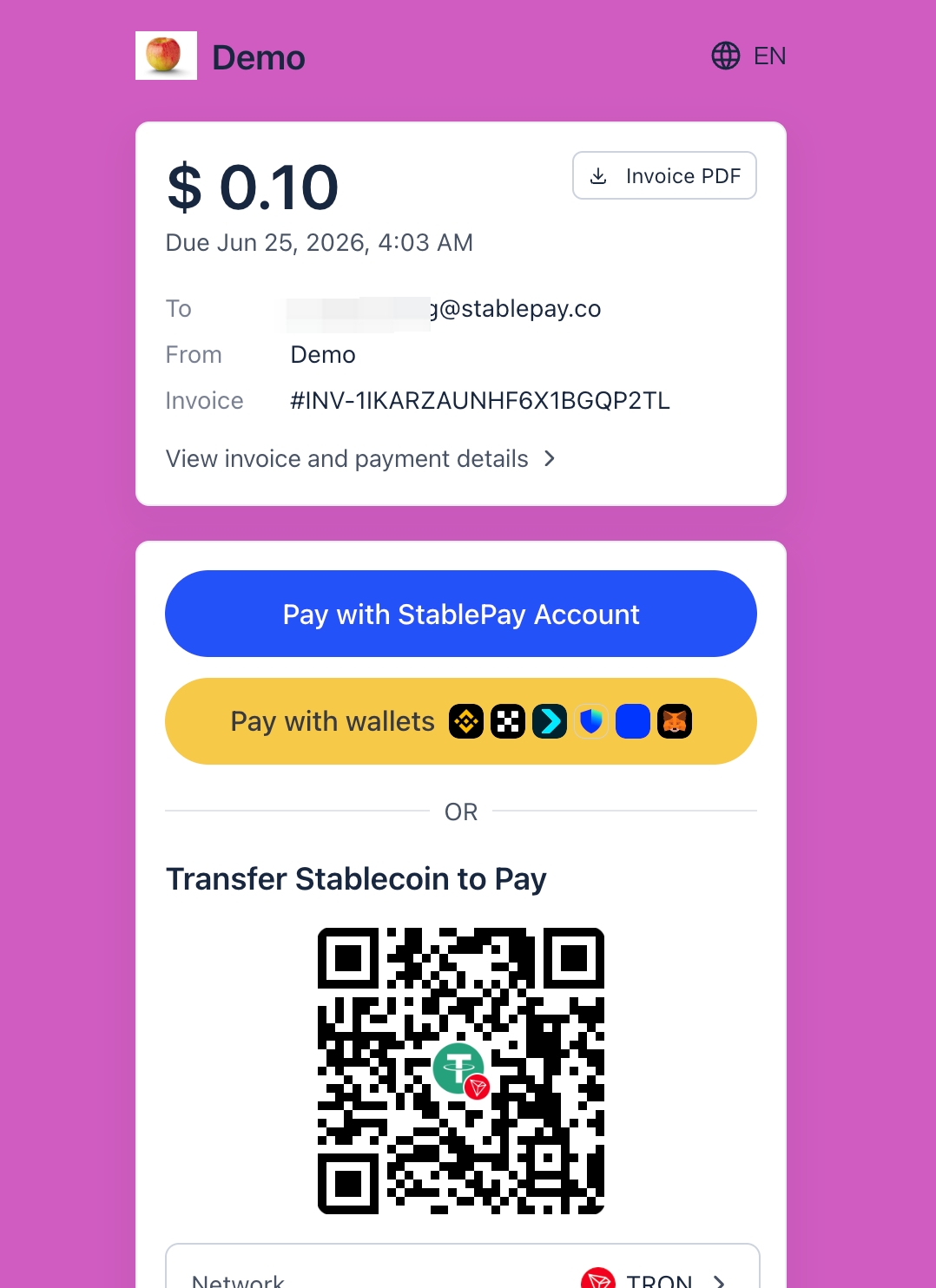
The hosted invoice page is the payer-facing entry point for Invoicing. Payers can view merchant information, customer information, line items, payable amount, due date, and payment status on the page, then initiate payment. In addition to on-chain transfers and wallet payments, the hosted invoice page now also supportsPay with StablePay Global Account. If the payer already has a StablePay Global Account with available balance, they can directly use the balance to complete the invoice payment after logging in and completing necessary security verification, without needing to initiate an on-chain transfer.
PDF invoice and receipt behavior changes with invoice status. Open, past due, paid, and void invoices may all be retained as records; receipts are more suitable for after successful payment.
Pay with StablePay Global Account
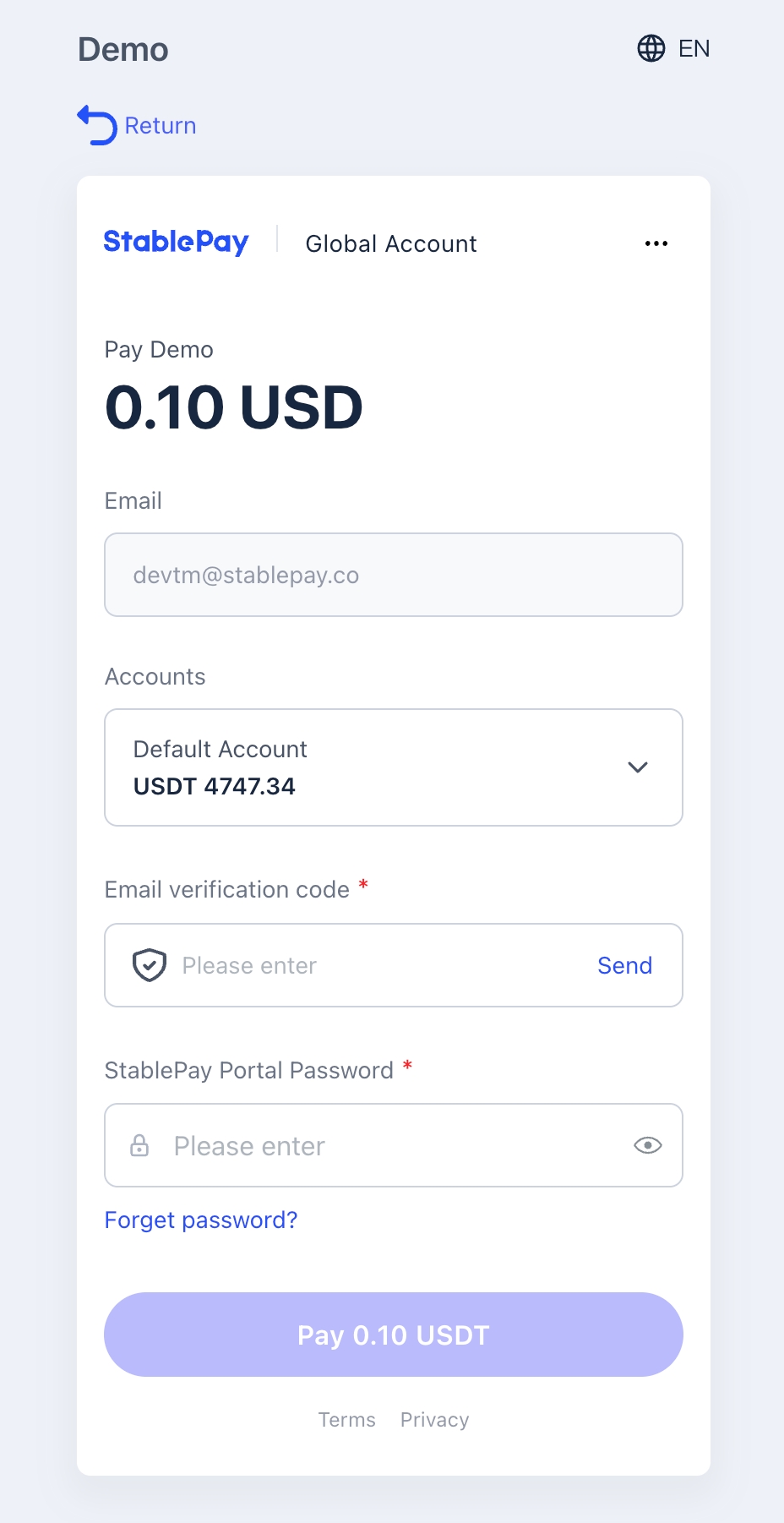
For payers already holding StablePay Global Accounts, invoice checkout provides a shorter payment path:- The payer opens the hosted invoice page.
- Selects
Pay with StablePay Global Account. - If not already logged in, must first log in to the StablePay Global Account.
- After completing necessary security verification, views available balance and selects the account and currency to pay with.
- Upon confirming payment, the system directly deducts from the Global Account balance and updates the invoice status.
Manual Invoices vs Subscription Invoices
Manual invoices are created by merchants for one-time customer billing processes and belong to the Invoicing product experience. Subscription-generated invoices are created by the subscription billing lifecycle. They may appear as billing records in reports or invoice views, but may be read-only in the Portal invoice workflow because their lifecycle is controlled by the subscription system.Invoicing vs Payment Links
Important Notes
- Invoicing is for one-time invoice processes with designated customers and is not suitable for public, reusable payment pages.
- StablePay Global Account balance payment is currently available for invoice checkout scenarios; availability depends on whether the payer has an available StablePay Global Account balance.
- Refunds are initiated based on payments. Refunding a payment does not automatically rewrite the invoice state machine.
- Subscription-linked invoices may exist as billing records but are not equivalent to manually created invoices.
- When customers need to view the bill before paying, use the hosted invoice page as the payment entry point.